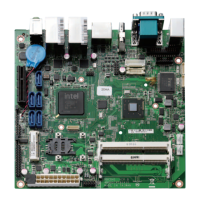
Peak 650 User's Guide Rev. A October 2000
Content
Contents
CHAPTER 1 INTRODUCTION........................................................................................ 1-1
1-1 S
PECIFICATIONS
.................................................................................................................................1-2
1-2 W
HAT YOU
'
LL HAVE FROM THE PACKAGE
.............................................................................................1-2
CHAPTER 2 SWITCHES AND CONNECTORS.............................................................. 2-1
2-1 M
AIN
B
OARD
L
AYOUT
.........................................................................................................................2-1
2-2 S
WITCHES
.........................................................................................................................................2-2
2-3 C
ONNECTORS
....................................................................................................................................2-3
CHAPTER 3 CAPABILITY EXPANDING......................................................................... 3-1
3-1 S
YSTEM
M
EMORY
..............................................................................................................................3-1
3-2 C
HANGE
CPU....................................................................................................................................3-2
CHAPTER 4 AWARD BIOS SETUP................................................................................ 4-1
4-1 BIOS S
ETUP
......................................................................................................................................4-1
Entering Setup.........................................................................................................................................4-1
Control Keys............................................................................................................................................4-2
Getting Help.............................................................................................................................................4-3
The Main Menu........................................................................................................................................4-4
Standard CMOS Features.......................................................................................................................4-6
Advanced BIOS Features Setup Menu ...................................................................................................4-9
Advanced Chipset Features Setup Menu..............................................................................................4-13
Integrated Peripherals...........................................................................................................................4-17
Power Management Setup....................................................................................................................4-21
PnP/PCI Configuration ..........................................................................................................................4-25
PC Health Status...................................................................................................................................4-27
Frequency/Voltage Control....................................................................................................................4-28
Supervisor/User Password Setting........................................................................................................4-29
Power-On Boot......................................................................................................................................4-30
4-2 BIOS R
EFERENCE
-POST M
ESSAGE
..............................................................................................4-31
POST Beep ...........................................................................................................................................4-31
Error Messages.....................................................................................................................................4-31
4-3 BIOS R
EFERENCE
-POST C
ODES
..................................................................................................4-35
APPENDIX ..................................................................................................................... 43
A
PPENDIX
AW
ATCH
D
OG
T
IMER
..............................................................................................................43
Watch Dog Timer Working Procedure .....................................................................................................43



 To Next Page