23
4. START-UP AND OPERATION
4.1. Setting up power supply
START-UP AND OPERATION
4
4
3
1
2
A
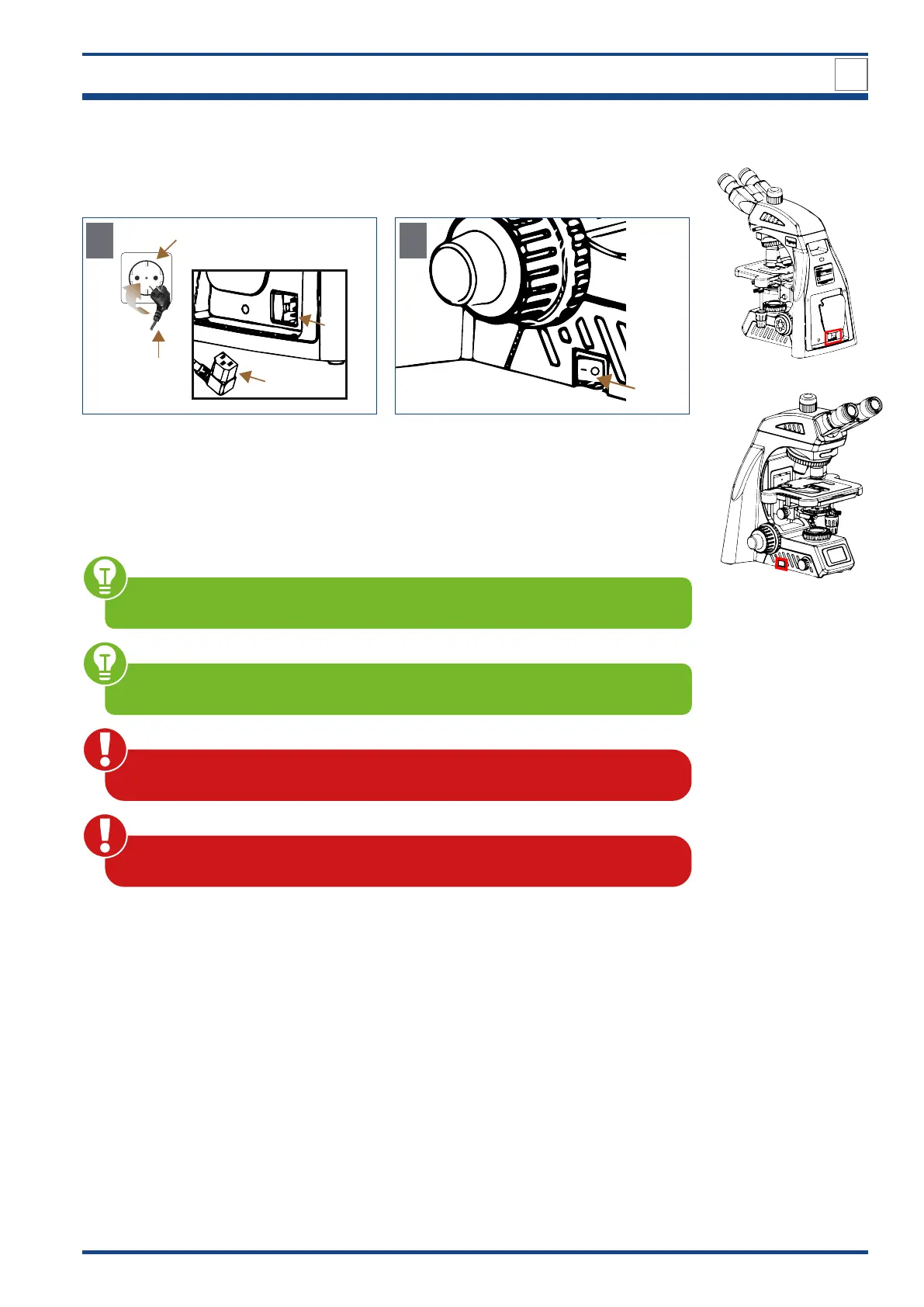
Illustration 007: Setting up power supply.
Connect the cold-device plug (1) to a suitable
mains in (2) on the back of the microscope.
Insert the main power plug (3) into the power
socket (4).
5
B
Switch on the device by setting the On/Off
switch (5) to position I on the left side.
Make sure the supplied voltage matches the instruments specifications: 100-240 V,
50/60 Hz.
Make sure that the main switch is set to O (OFF) before connecting the power cord.
To avoid electric shock, connect the cold-device plug to a properly grounded pow-
er socket. These cold-device plug has three-pin plugs to ensure proper grounding.
Cables and cords are vulnerable when bent or twisted. Never subject them to
excessive force.



 To Next Page