26
4
START-UP AND OPERATION
4.4. Focusing the specimen
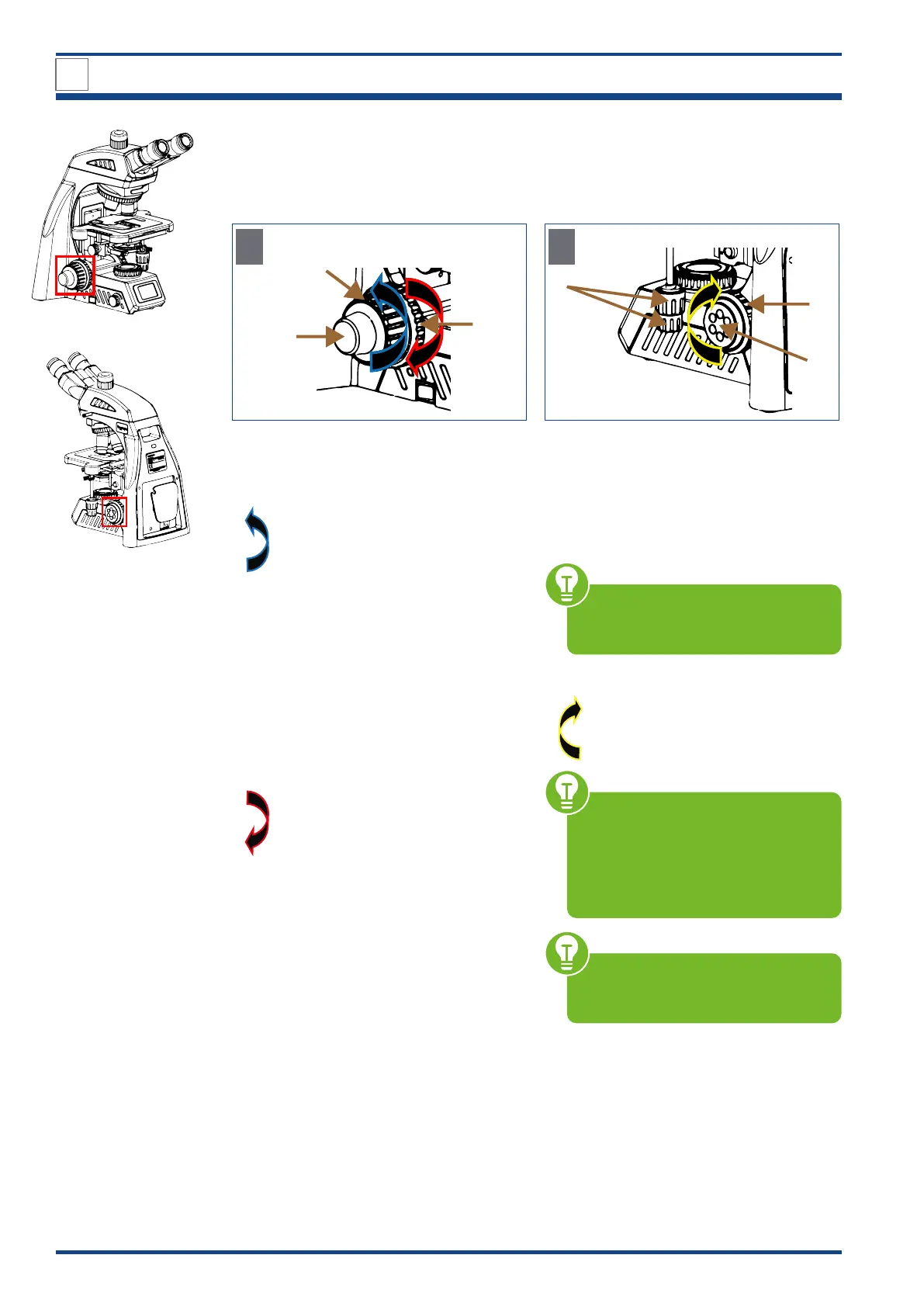
4.4.1. Focusing controls
2a
3
1
A
Left-hand side
Illustration 012: Focusing controls.
Turn the coarse focusing knob (1) to raise or
lower the stage:
Stage moves up and vice versa
Bring the object into focus and adjust the fo-
cus with the left fine focusing knob (2a) with
scaling located on the same focusing shaft.
Adjusting the coarse focusing knob
tension:
The coarse focusing knob tension is preset
for easy use.
If desired, you can change the tension using
the tension adjustment ring (3).
Tension increases and vice versa
4
2b
5
B
Right-hand side
Fine focusing knobs are located comfortably
on each side of the microscope.
The right fine focusing knob (2b) has six
small recesses to make fine adjustment even
easier.
Fine focusing knob and X-axis/
Y-axis knobs (4) can be operated
simultaneously with one hand.
Limit knob (up-stop) (5):
Set an upper limit for the coarse
focus movement. Repeal the
function in the opposite direction.
After changing specimens or objec-
tives, focusing is easily accomplished
by rotating the coarse focusing knob
to reach the pre-focused position.
Then make fine adjustments with the
fine focusing knob.
The stop control ensures that the ob-
jective does not come in contact with
the specimen.



 To Next Page