EN-10
Duo Cinema Instruction Manual
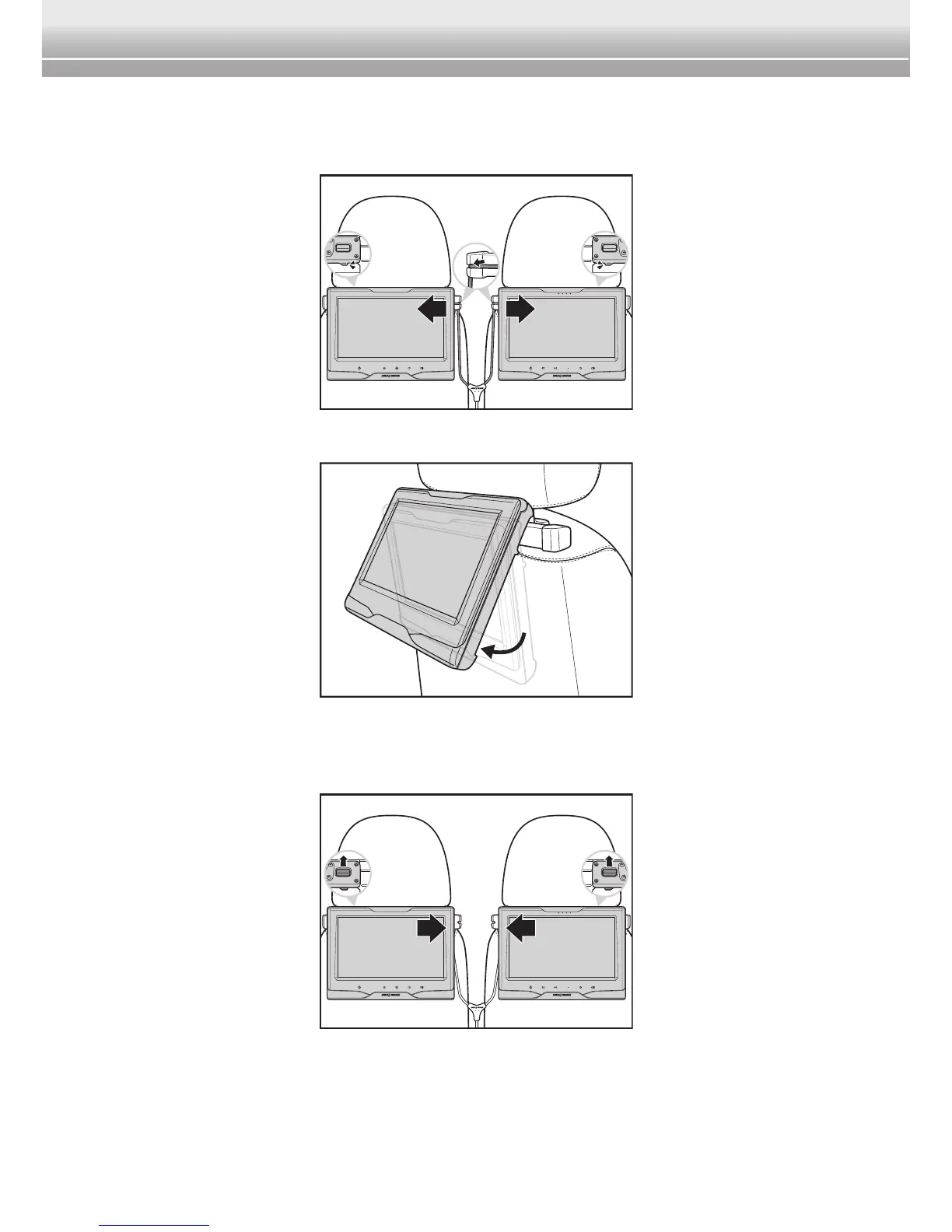
4 Slide the mount slot of the player into the backplate of the stanchion mount
fully until it clicks into place. Repeat the same procedure to install the
monitor on the LEFT headrest.
5 Adjust the player/monitor to the desired viewing angle.
Note:
♦ To remove the player/monitor from the stanchion mount, pull and hold the release
latch upwards and then slide the player/monitor off to disengage the connection.


 To Next Page