EN-12
Duo Cinema Instruction Manual
Making Connecon
This section guides you on how to insert a DVD disc and connect your Duo
Cinema to an external device.
Note:
♦ Do not unplug the USB ash drive or disconnect the cable connection during the le
playback.
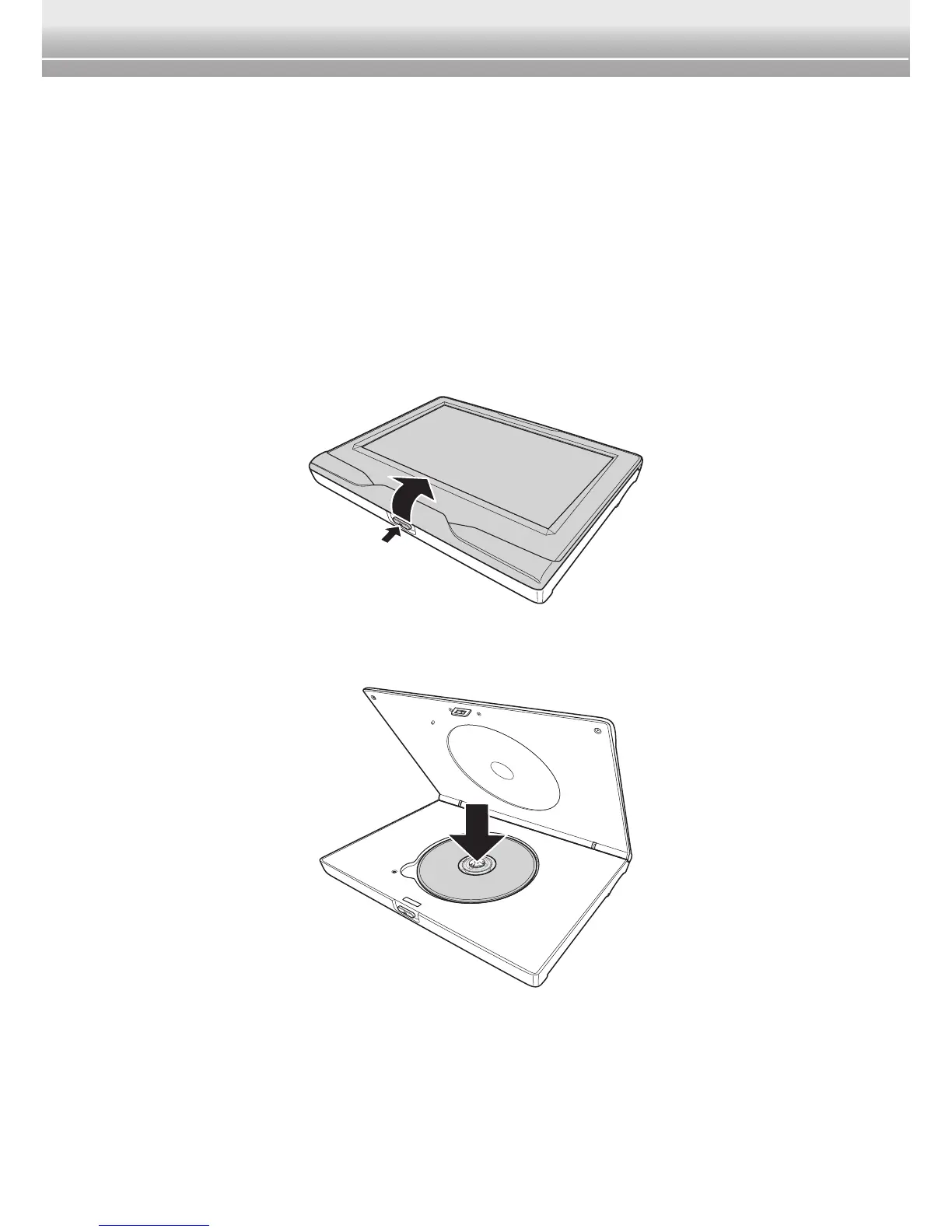
Insert the DVD Disc
1 On the player, press the Open button and carefully open the disc cover.
2 Place the disc in the compartment with the label facing up. Make sure that it
is completely seated in the indent.
3 Close the disc cover by gently pressing until it clicks into place.


 To Next Page