EN-17
Duo Cinema Instruction Manual
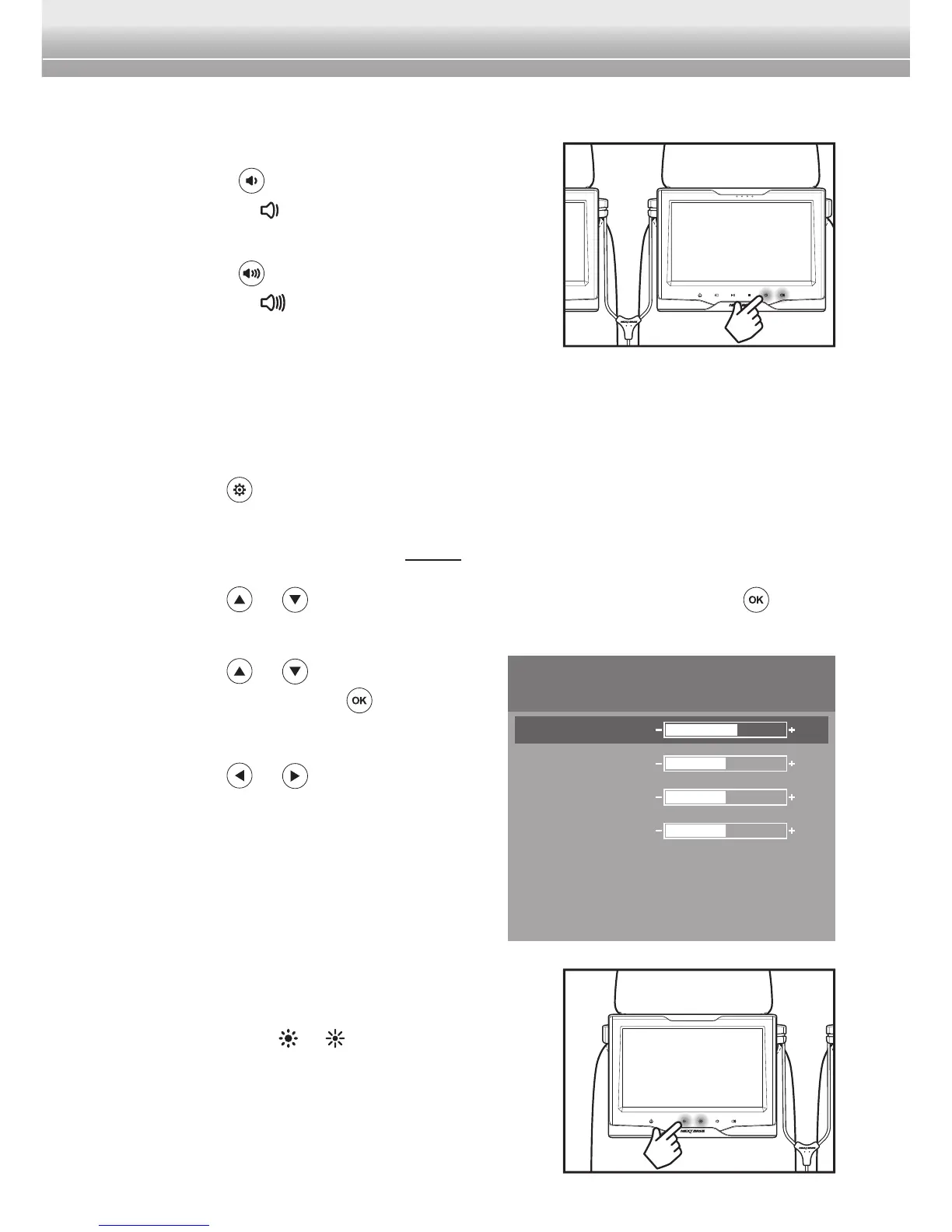
Adjusting the Volume Level
To adjust the volume level, do the following:
• Press the
button on the remote control
or touch the key on the player/monitor to
decrease the volume level.
• Press the
button on the remote control
or touch the key on the player/monitor to
increase the volume level.
Adjusting the Screen Brightness
To switch the screen brightness, perform the following:
1 Press the
button to bring up the main menu.
Note:
♦ For HDMI input source, skip Step 2.
2 Press the or button to select Screen Menu. Then press the button
to enter Screen Menu.
3 Press the
or button to select
Brightness. Press the button to
conrmtheselection.
4 Press the
or button to adjust the
setting.
Note:
♦ The OSD menu will disappear within 3
seconds if there is no operation.
♦ To adjust the screen brightness of the monitor,
simply touch its
or key repeatedly to adjust
the setting.
PICTURE
Brightness
Contrast
Saturation
Hue
Language
Reset
English
60
50
50
50



 To Next Page