EN-21
Duo Cinema Instruction Manual
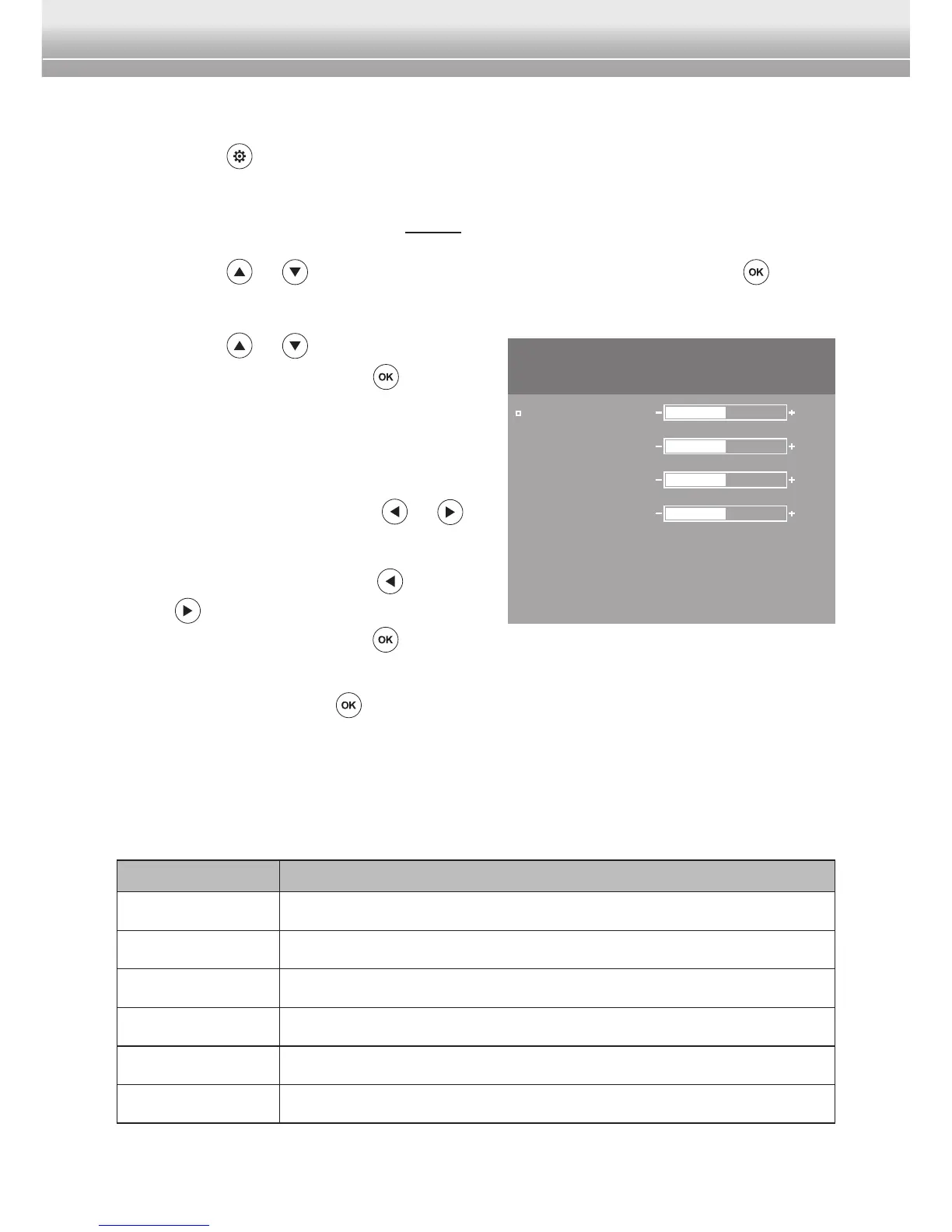
Screen Menu
1 Press the button to bring up the main menu.
Note:
♦ For HDMI input source, skip Step 2.
2 Press the or button to select Screen Menu. Then press the button
to enter Screen Menu.
3 Press the
or button to select an
option and then press the button
to enter the submenu.
4 Do the following:
• Brightness, Contrast, Hue, or
Saturation: Press the
or
button to adjust the setting.
• Language: Press the
or
button to select the desired
setting and press the button
toconrm.
• Reset: Press the
button to reset all the settings.
Note:
♦ The OSD menu will disappear within 3 seconds if there is no operation.
The following menu options are available in Screen Menu:
Menu Option Description
Brightness Adjust the brightness.
Contrast Adjust the contrast.
Hue Adjust the hue (color).
Saturation Adjust the saturation (color intensity).
Language Set the on-screen display (OSD) language.
Reset Reset all settings to the factory default settings.
PICTURE
Brightness
Contrast
Saturation
Hue
Language
Reset
English
50
50
50
50



 To Previous Page