EN-13
Duo Cinema Instruction Manual
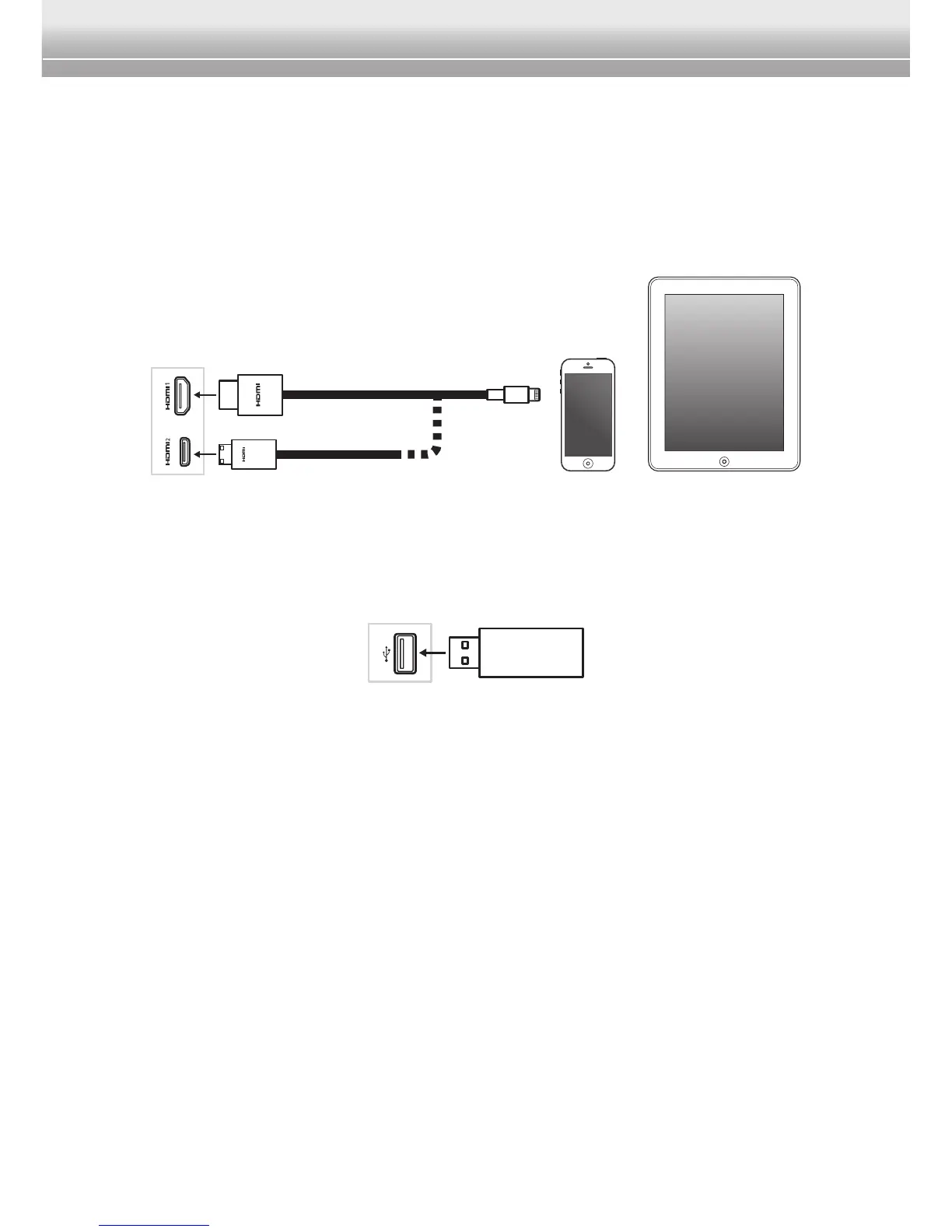
Connect to HDMI Input Source
You can use this device to play your favorite multimedia content (videos,
pictures, and music) from your portable device (i.e. smartphone or tablet).
1 Connect one end of the HDMI cable to the HDMI1/HDMI2 port of the player.
2 Connect the other end of the HDMI cable to the HDMI port of the portable
device.
Insert USB Flash Drive
YoucanalsousethisdevicetoplayyourlesstoredintheUSBashdrive.
SimplyplugintheUSBashdrivetotheUSBportoftheplayer.
Note:
♦ To copy your favorite multimedia les, plug in the USB ash drive into your
computer USB port and transfer the les to the root directory of the USB ash drive.


 To Next Page