4.4 Logs
Every event is logged in the device FLASH memory. From the log menu the user can view their
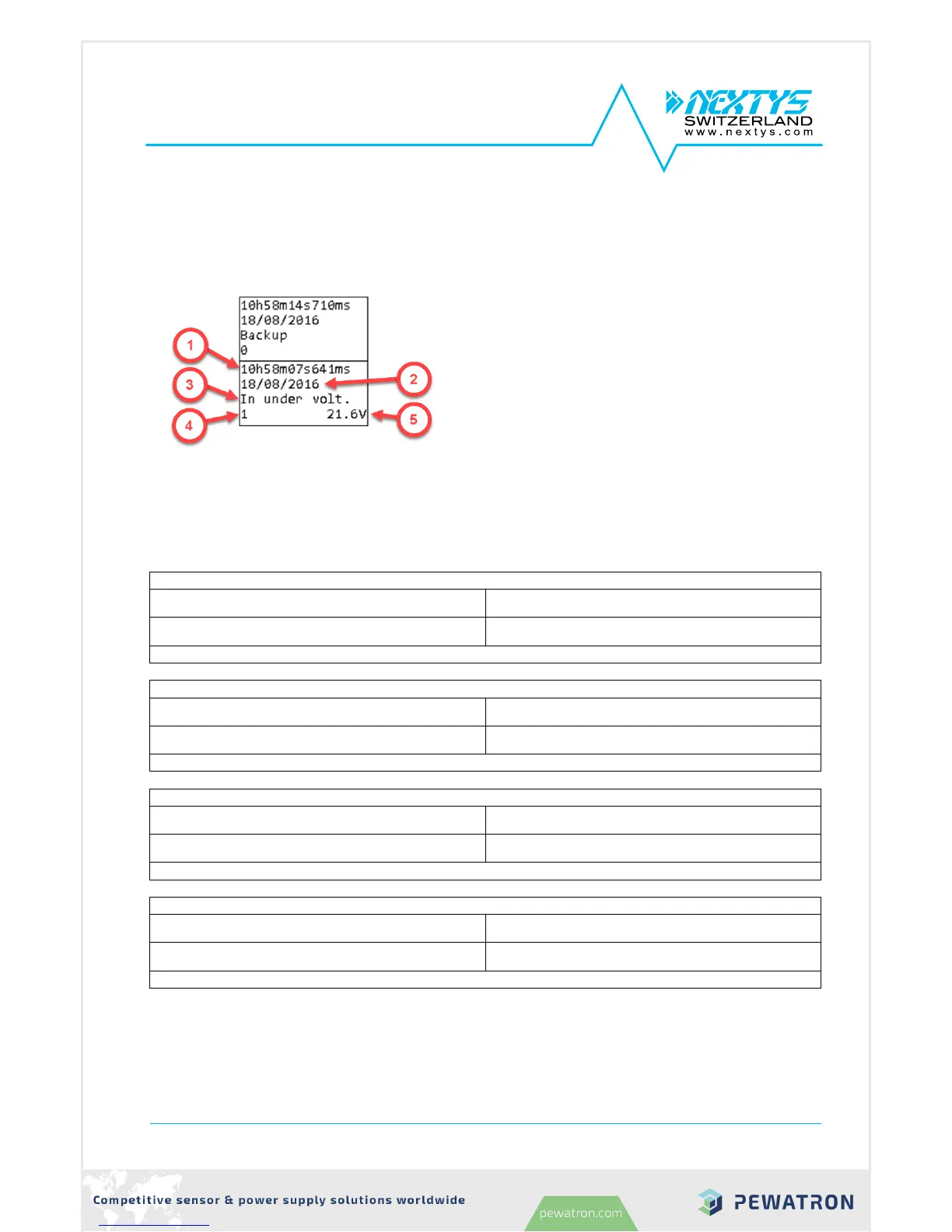
history. Use the UP/DOWN KEYS to navigate between logs, 2 logs are visible simultaneously on the
LCD.
1. Time: time at which the log occurred.
2. Date: date at which the log occurred.
3. Name: unique log name
4. Primary value: optional, see below for details.
5. Secondary value: optional, see below for
details.
Logs are of 3 different kinds: info, alarms and events. All info and alarms have an associated
Modbus field representing the current status (0 if inactive or 1 if active). For info and alarms a log is
generated at each status transaction. In case of active alarm, the front LED and the buzzer turn ON.
4.4.1 Info



 To Next Page