EasyManua.ls Logo

nextys DCW20 - Functional Description; UPS Mode Operation

Default Icon
35 pages
Print Icon
To Next Page IconTo Next Page
To Previous Page IconTo Previous Page
Loading...
DCW20 User Manual rev. 5
Page 7/34
Input
Input
switch
I
U
Input voltage
and current
measurement
I
U
Output voltage
and current
measurement
Output
I
U
Battery voltage
and current
measurement
I
U
Auxiliary voltage
and current
measurement
Auxiliary
supply
Battery
30A
Fuse
DC
DC
Bidirectional
digital control
DC/DC
converter
Battery
reverse
polarity
protection
Digital
fuse
uController
Power path
Monitoring and control
Battery health
monitor
Modbus/RTU
USB
RS485
I/O
2xRelays
Inhibit
HMI
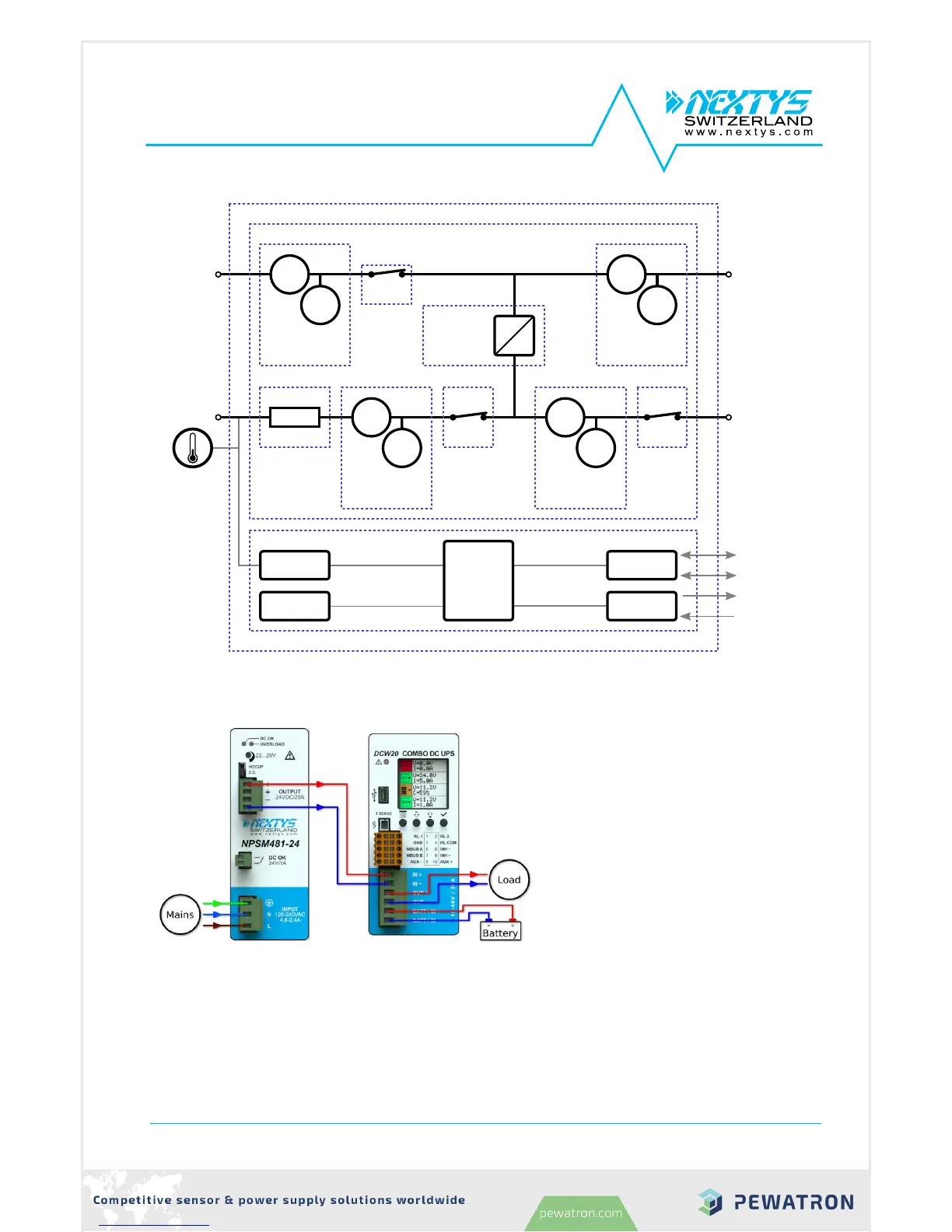
Figure 2: DCW20 simplified block diagram
3.1 UPS mode
In UPS mode the DCW20 protects a
load from unwanted power interruption
in case of mains failure. An example of
UPS connection is given on Figure 3.
When the input is present DCW20 acts
as a bypass, connecting the input to the
output via the input switch. Meanwhile, if
required, the battery is charged. During
bypass there is no voltage conversion,
therefore the output supply voltage is
equal to the input voltage.
In case of power outage, the DCW20
takes energy from the battery to keep
the output regulated at Nominal output
voltage” (§4.2.20).
¨
Figure 3: UPS connection example
DCW20_040-02-700-005-EH-1117

Other manuals for nextys DCW20