25
To remove a User Notch, the "Remove a User Notch" section should be used, setting notch number to be
removed from 1 to 10 and pressing the "Remove" button.
Chapter 11 Log file Interface
11.1 Log File
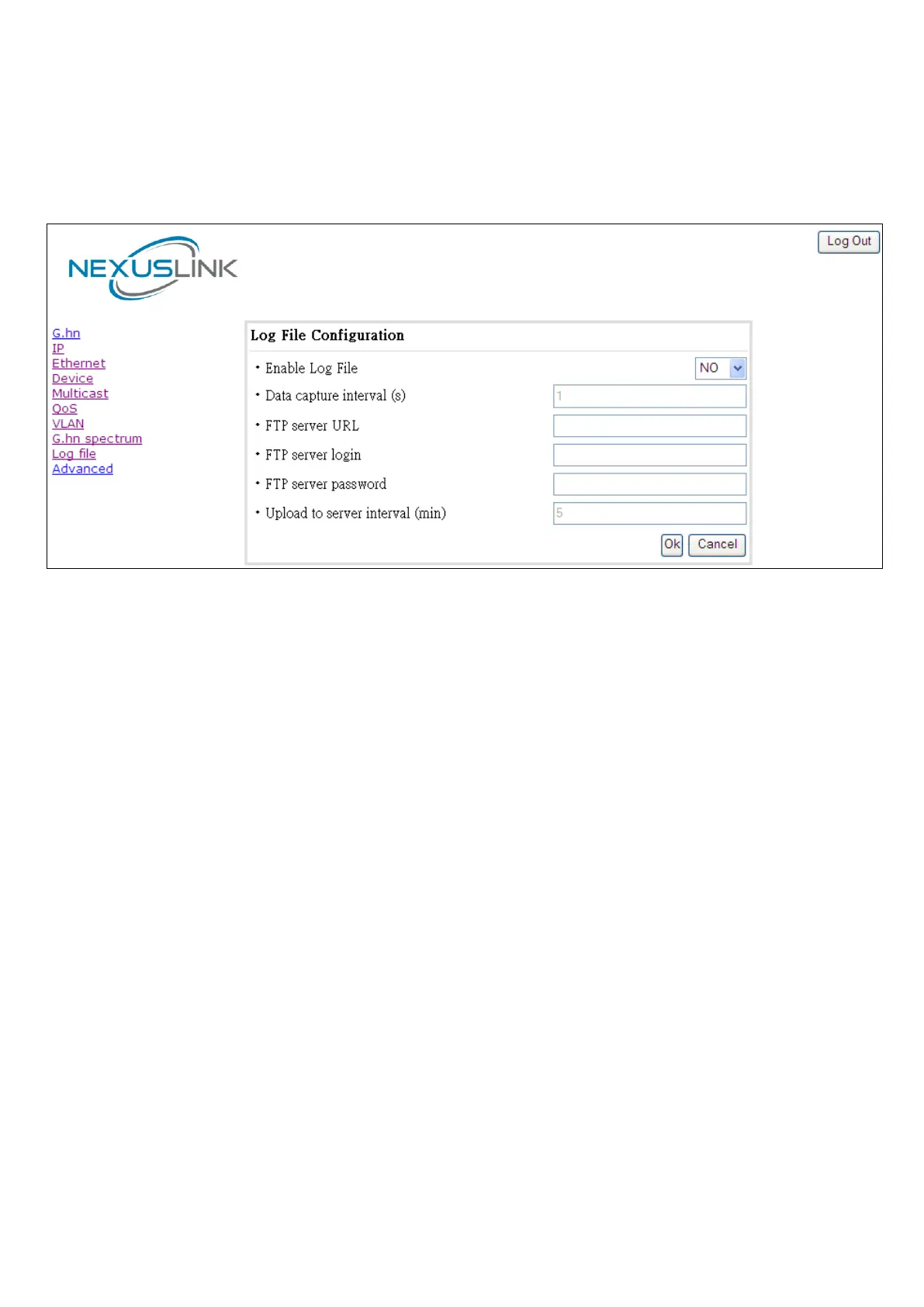
In the Log File configuration tab the following settings can be read, and changed by clicking on the
corresponding "Update" button for the selected node:
• Enable Log File set to YES for enabling Log File functionality in the node and set to NO for disabling
it.
• Data Capture Interval sets the interval of time in seconds to capture data.
• FTP Server URL configures the url for the remote FTP server where the files will be uploaded.
• FTP Server Login configures the user for the FTP server.
• FTP Server Password configures the password for the FTP server.
• Upload to Server Interval sets the interval of time in minutes to send the captured file to the
remote server.


 To Next Page