X.COM3 - MOTORCYCLE BLUETOOTH COMMUNICATION SYSTEM WITH MESH INTERCOM
18
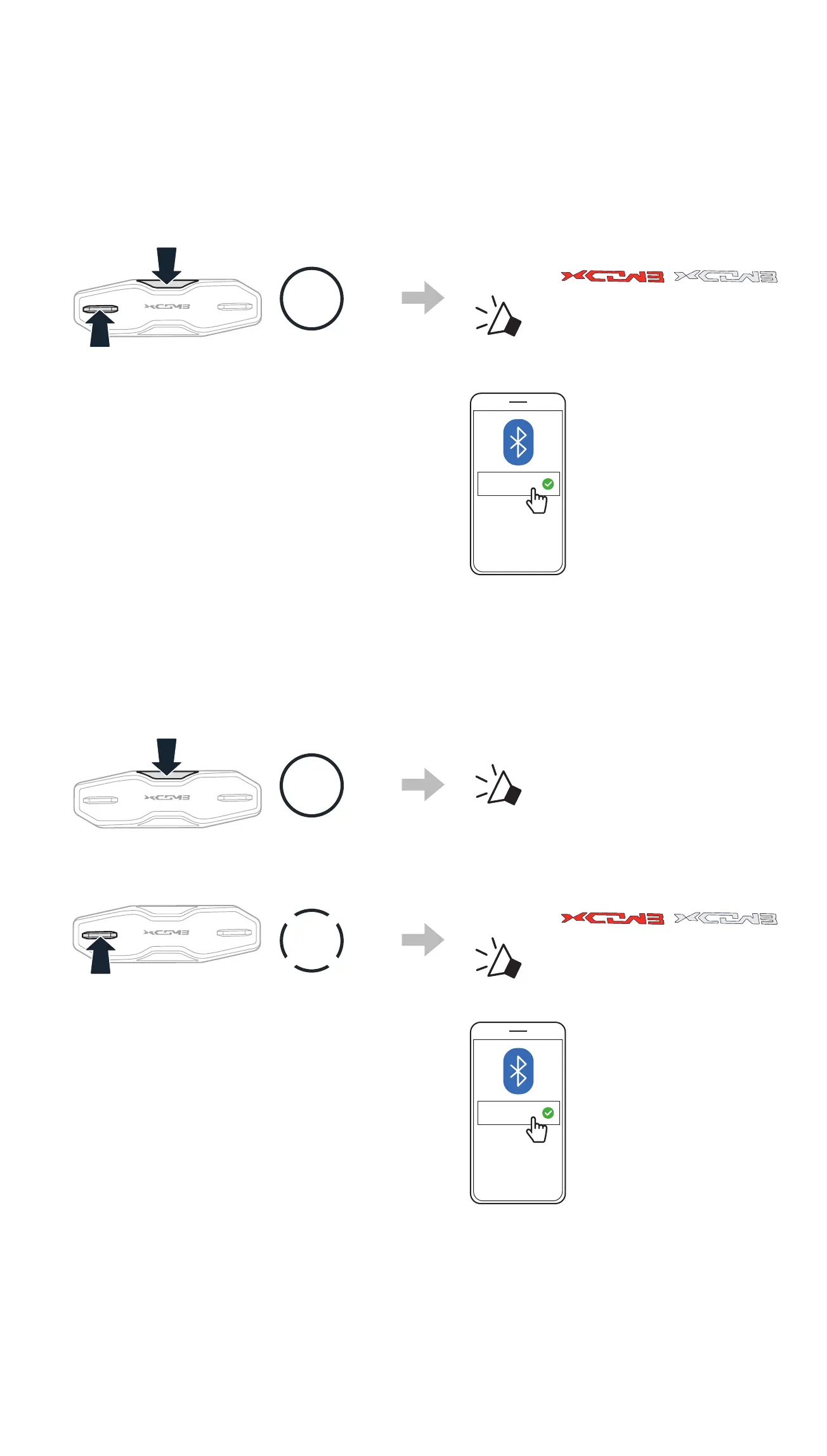
4.1. 2 Starting with Your Headset Powered Off
1. While the headset is off, press and hold the Center Button and the
(+)Button for 5 Seconds.
5s
HOLD
Blinking
“Phone pairing”
2. Select X-COM 3 Pro in the list of
Bluetooth devices detected.
X-COM 3 Pro
4.1.3 Starting with Your Headset Powered On
1. While the headset is on, press and hold the Center Button for
10seconds.
10s
HOLD
“Conguration menu”
2. Tap the (+) Button.
1x
TAP
Blinking
“Phone pairing”
3. Select X-COM 3 Pro in the list of
Bluetooth devices detected.
X-COM 3 Pro



 To Next Page