X.COM3 - MOTORCYCLE BLUETOOTH COMMUNICATION SYSTEM WITH MESH INTERCOM
32
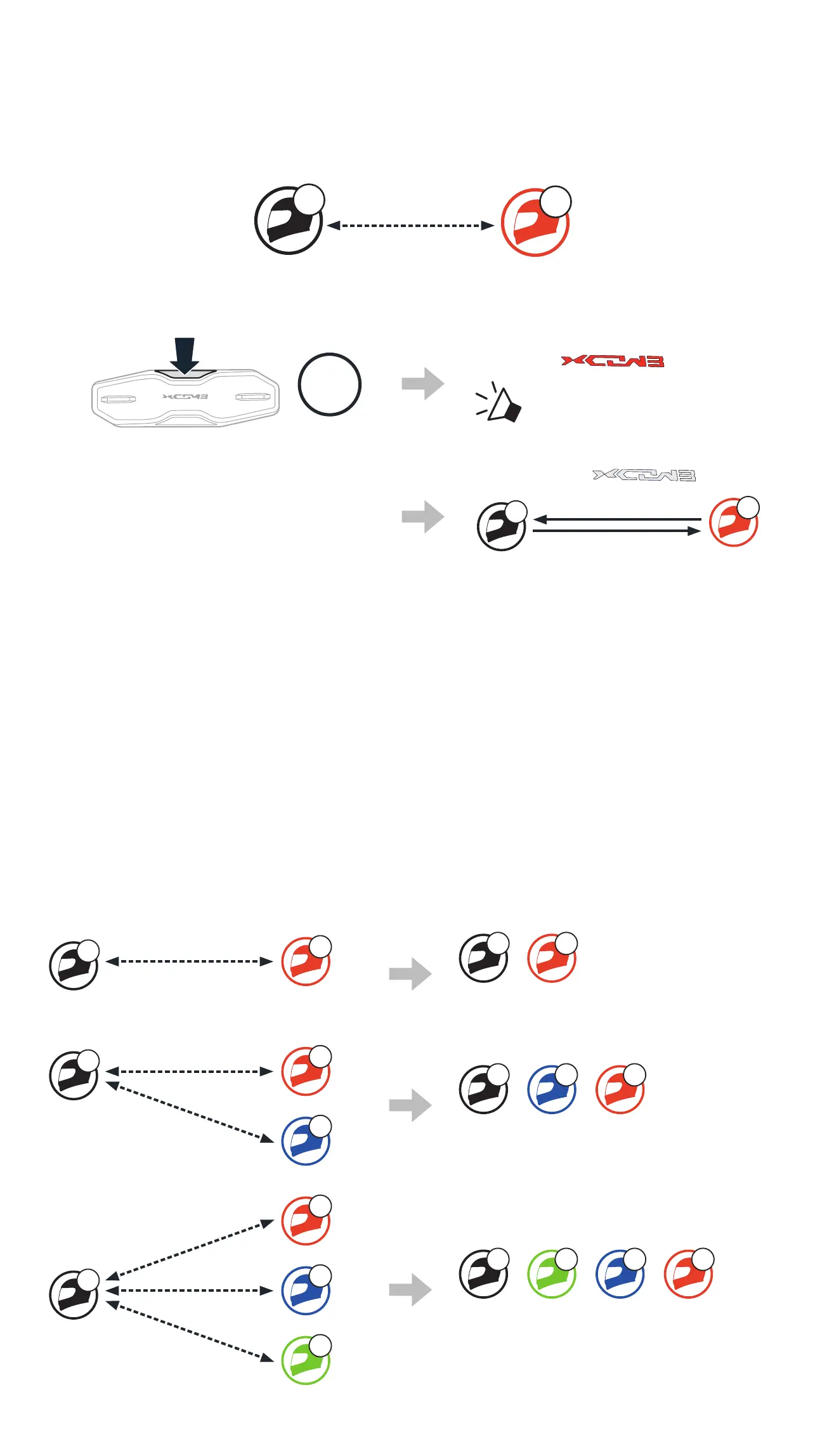
8.1.2 Using the Button
YOU
B
A
1. Users (You, B) enter into Intercom Pairing.
5s
HOLD
Blinking
“ Intercom pairing”
2. The two headsets (A and B)
will be automatically paired.
Turns white
A
B
YOU
3. Repeat the steps above to pair with other headsets (C and D).
8.2 LAST-COME, FIRST-SERVED
The intercom pairing queue is Last-Come, First-Served. If the headset
has multiple paired headsets for intercom conversations, the last paired
headset is set as the First Intercom Friend. For example, after the pairing
procedures listed above, headset (D) is the First Intercom Friend of
headset (A). Headset (C) is the Second Intercom Friend of headset (A),
and headset (B) is the Third Intercom Friend of headset (A).
Intercom Pairing Order Last-Come, First-Served
A
B
YOU
A B
YOU
Intercom
Friend1
A
B
C
YOU
1
2
A C B
YOU
Intercom
Friend1
Intercom
Friend2
A
B
C
D
YOU
1
2
3
A D C B
YOU
Intercom
Friend1
Intercom
Friend2
Intercom
Friend3



 To Next Page