X.COM3 - MOTORCYCLE BLUETOOTH COMMUNICATION SYSTEM WITH MESH INTERCOM
19
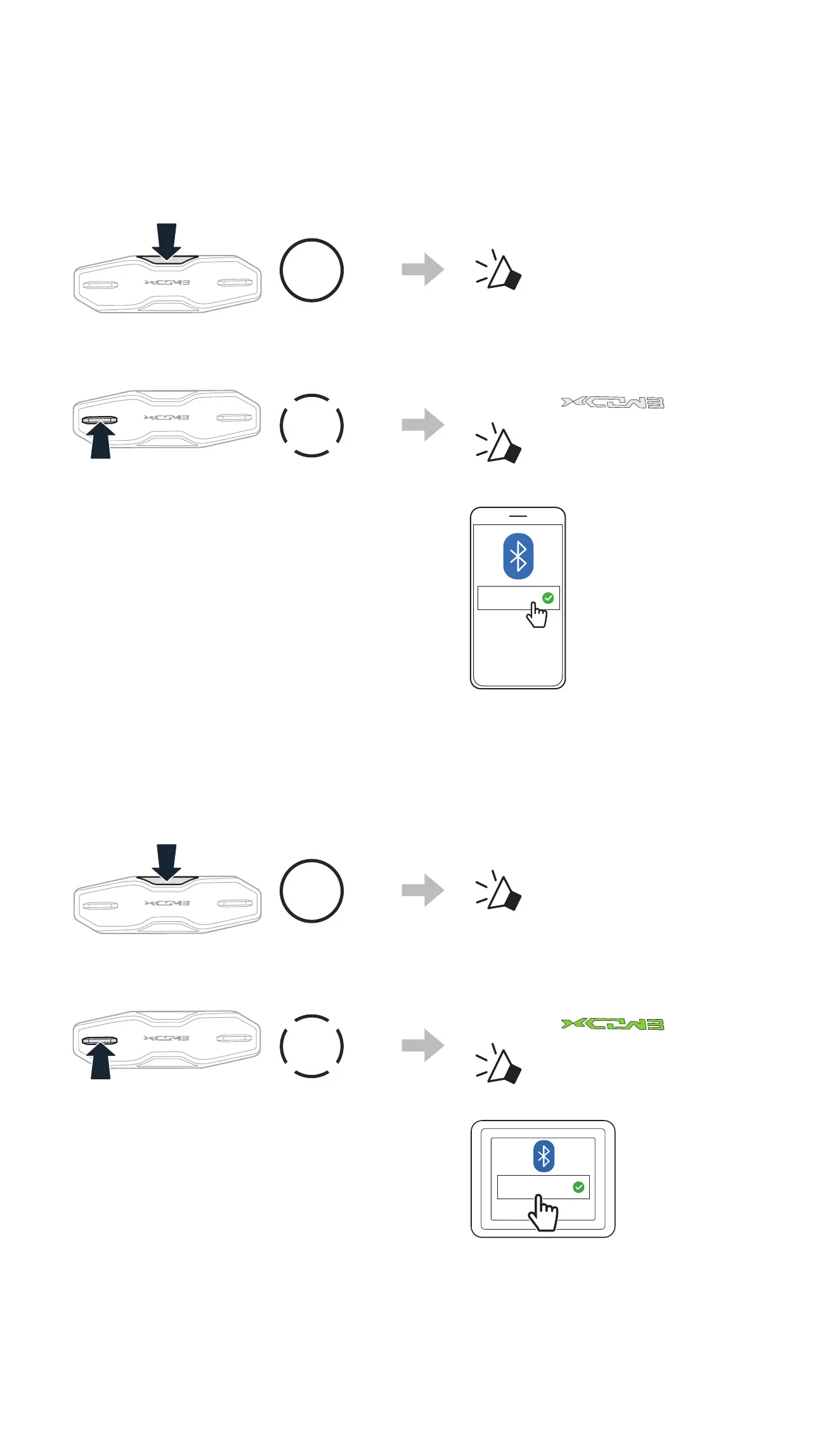
4.2 SECOND MOBILE PHONE PAIRING
1. Press and hold the Center Button for 10 seconds.
10s
HOLD
“Conguration menu”
2. Double tap the (+) Button.
2x
TAP
Blinking
“ Second mobile
phone pairing”
3. Select X-COM 3 Pro in the list of
Bluetooth devices detected.
X-COM 3 Pro
4.3 GPS PAIRING
1. Press and hold the Center Button for 10 seconds.
10s
HOLD
“Conguration menu”
2. Triple tap the (+) Button.
3x
TAP
Blinking
“ GPS pairing”
3. Select X-COM 3 Pro in the list of
Bluetooth devices detected.
X-COM 3 Pro



 To Next Page