22
Operating Guide
3
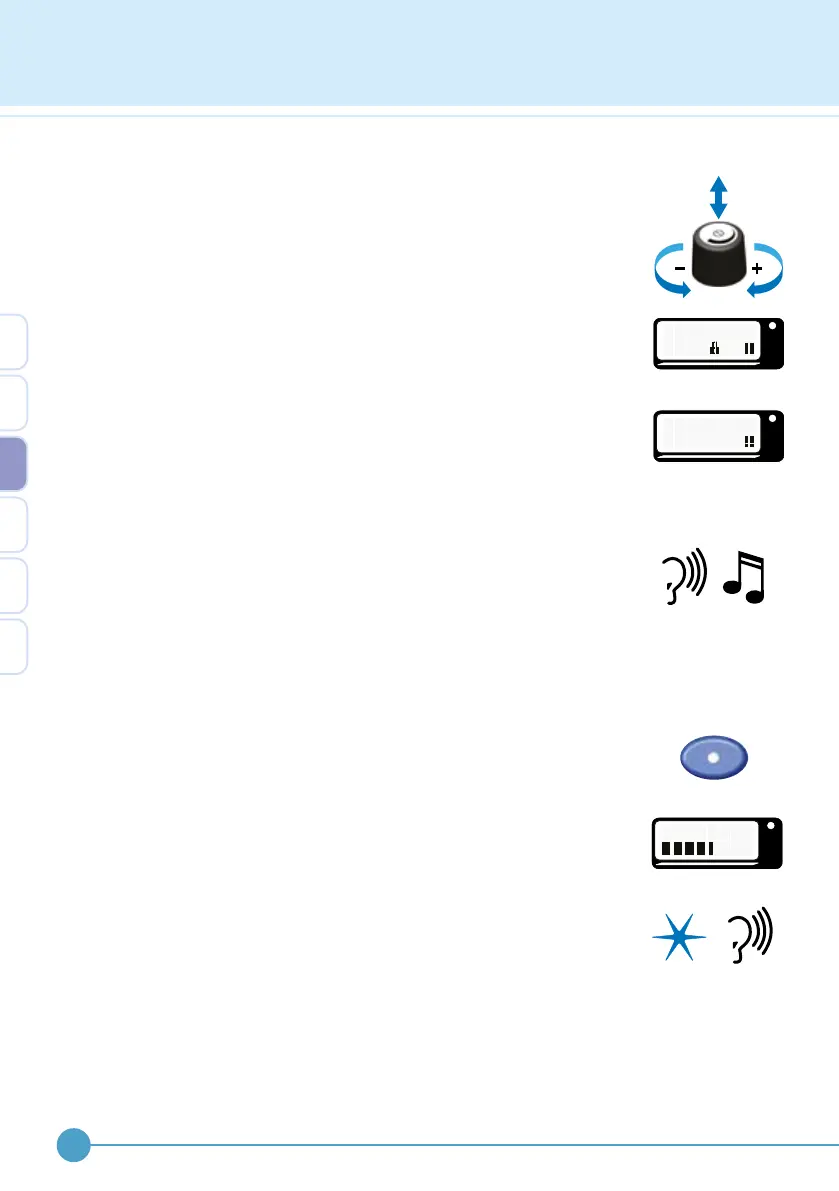
Adjusting the output level (pulse width)
The output level of the ODFS
®
Pace (XL) is adjusted by rst clicking (press
and release to disable the control lock) and then turning the control knob.
This sets the stimulation pulse width which determines the strength of the
muscle contraction. When the control lock is on, a lock symbol is shown
on the display. If the control lock has been disabled, the output can be
adjusted without first clicking the control knob. By default the control lock
is enabled after 4 seconds of inactivity to prevent accidental pulse width
adjustment.
As the control knob is turned the output level is displayed as a number
from 0 to 100%, with 100% being the highest output level. It is good
practice to only adjust the output while there is stimulation. This provides
an instant feedback of the eect of the change.
If the stimulator has been set to use beeps, an audible click will accompany
each adjustment increment. The pitch of the click will go up and down as
the output is turned up and down. When 50% is reached an extra high
pitch beep is heard. This allows the user to know when they have reached
the normal operating level without looking at the screen. There is a double,
low pitch beep at 0% to indicate that the ODFS
®
Pace (XL) can be turned
o by holding down the control knob.
Using the test button
While the stimulator is paused, the output can be tested by pressing the
test button. Pressing the test button delivers a single burst of stimulation.
The display will show “TEST”.
To ensure stimulation output is as expected use the test button prior to
entering active mode. There is no need to click the control knob before
adjusting when the test button is used.
The indicator light will ash and if the stimulator has been set to use beeps,
a ‘chirp’ will accompany the light ash in walk mode or a ‘beep-chirp-beep’
in exercise mode.
While there is an output from the stimulator the level indicator (pulse width)
appears as a row of blocks on the lower line. The maximum (i.e. 100%
pulse width) is indicated as 6 blocks.
OML
T E S T
1
%
OML
T E S T
1
0
%
0
OML
T E S T
3


 To Next Page