© National Instruments Corporation 17 NI cDAQ-9178/9174 User Guide and Specifications
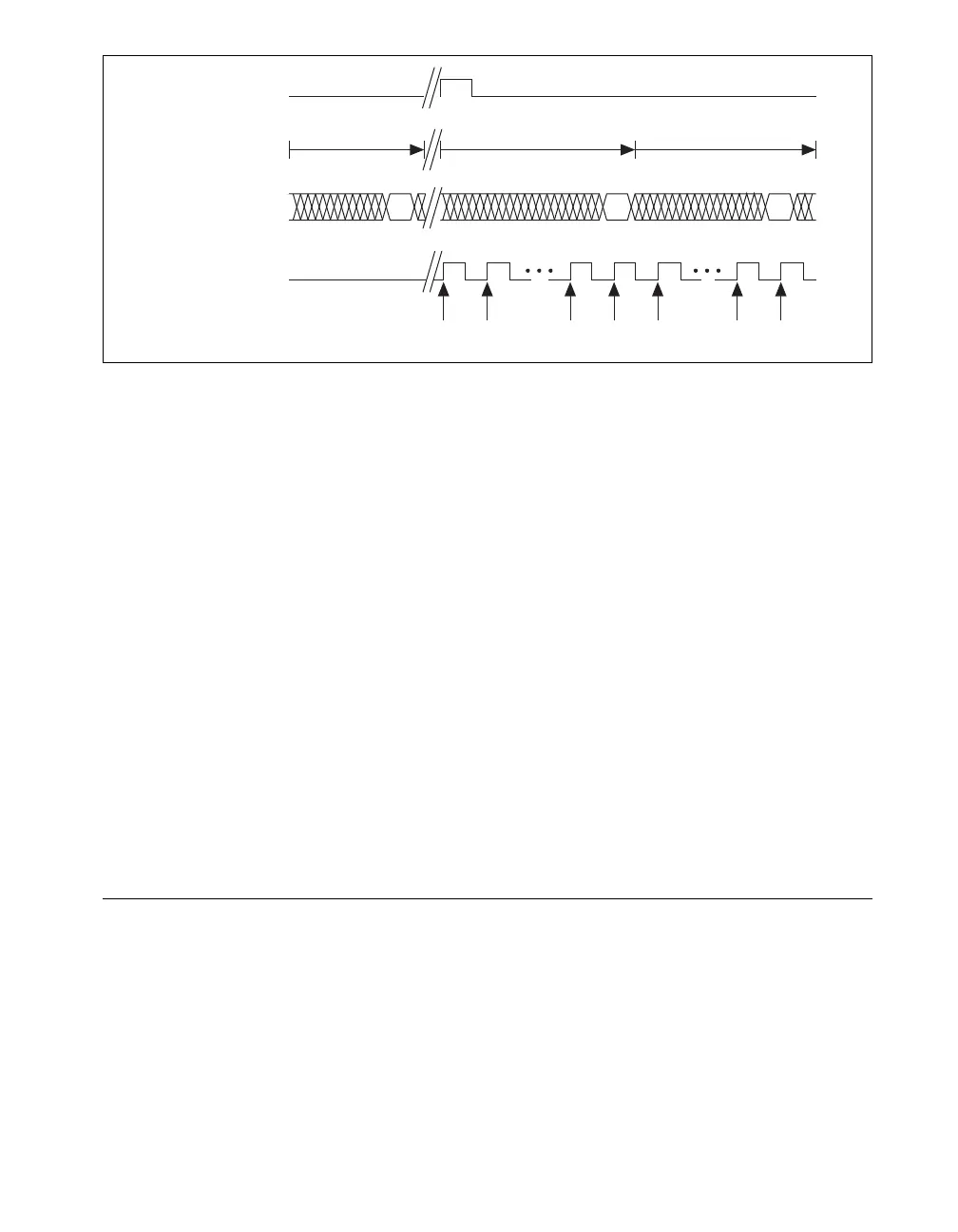
Figure 11. Sample Clock Timing Example
For example, if running an AI task at 1 kHz using a module with a maximum rate of 10 Hz, the slow
module returns 100 samples of the first point, followed by 100 samples of the second point, etc. Other
modules in the task will return 1,000 new data points per second, which is normal. When performing a
single-point acquisition, no points are repeated. To avoid this behavior, use multiple AI timing engines,
and assign slow sample rate modules to a task with a rate at or slower than their maximum rate.
Refer to the KnowledgeBase document, C Series Modules Supported in the NI cDAQ-9178/9174
CompactDAQ, for more information. To access this KnowledgeBase, go to
ni.com/info and enter the
info code rdcdaq.
Getting Started with AI Applications in Software
You can use the NI cDAQ-9178/9174 chassis in the following analog input applications:
• Single-Point
•Finite
• Continuous
For more information about programming analog input applications and triggers in software, refer to the
NI-DAQmx Help or the LabVIEW Help for more information.
The NI-DAQmx Help is available after installation from Start»All Programs»National Instruments»
NI-DAQ»NI-DAQmx Help. To view the LabVIEW Help, select Help»Search the LabVIEW Help in
LabVIEW. Alternately, to download the LabVIEW Help, go to
ni.com/manuals.
Analog Output
To generate analog output, insert an analog output C Series I/O module in any slot on the
NI cDAQ-9178/9174 chassis. The generation specifications, such as the number of channels, channel
configuration, update rate, and output range, are determined by the type of C Series I/O module used.
For more information, refer to the documentation included with your C Series I/O modules.
You can run one hardware-timed (waveform) analog output task at a time on the NI cDAQ-9178/9174
chassis. At the same time, you can also run one or more software-timed (single-point or immediate)
tasks.
StartTrigger
Data from
A/D Conversion
(Slow Module)
SampleClock
Data Returned
to AI Task
1st A/D Conversion 2nd A/D Conversion 3rd A/D Conversion
A
BC
AA ABB BC



 To Next Page