© National Instruments Corporation 3 NI cDAQ-9178/9174 User Guide and Specifications
Introduction
This user guide describes how to use the National Instruments cDAQ-9178/9174 chassis and lists
specifications. For an interactive demonstration of how to install the NI cDAQ-9178/9174, go to
ni.com/info and enter daqinstall.
The NI cDAQ-9178 (eight slots) and NI cDAQ-9174 (four slots) USB chassis are designed for use with
C Series I/O modules. The NI cDAQ-9178/9174 chassis is capable of measuring a broad range of analog
and digital I/O signals and sensors using a Hi-Speed USB 2.0 interface. For module specifications, refer
to the documentation included with your C Series I/O module(s) or go to
ni.com/manuals.
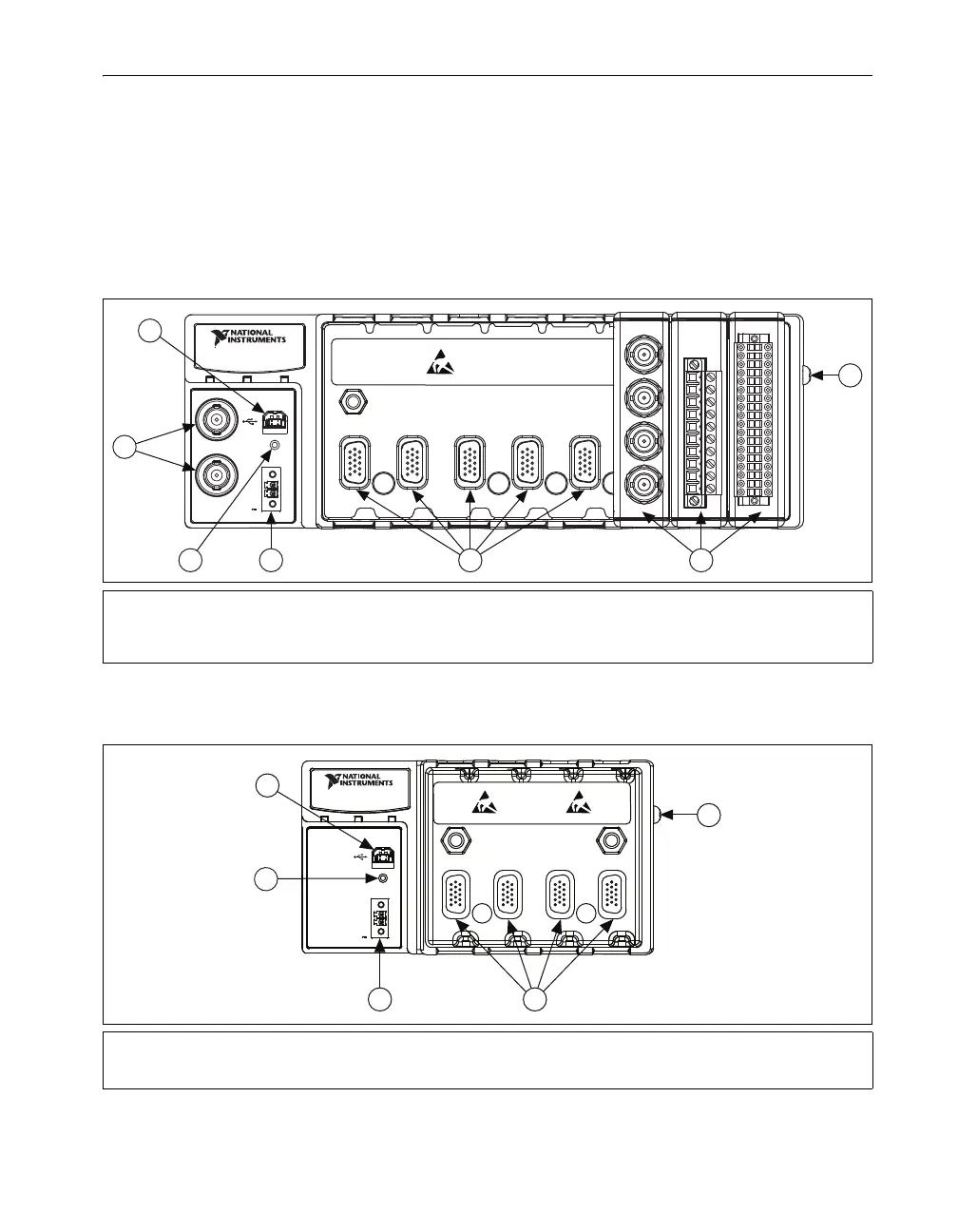
Figure 1 shows the NI cDAQ-9178 chassis.
Figure 1. NI cDAQ-9178 Chassis
Figure 2 shows the NI cDAQ-9174 chassis.
Figure 2. NI cDAQ-9174 Chassis
1 USB Connector
2 TRIG 0 (PFI 0) BNC Connector,
TRIG 1 (PFI 1) BNC Connector
3 USB Cable Strain Relief
4 9–30 VDC Power Connector
5 Module Slots
6 Installed C Series Modules
7 Grounding Screw
1 USB Connector
2 USB Cable Strain Relief
3 9–30 VDC Power Connector
4 Module Slots
5 Grounding Screw
123 45
INPUT
9-30 V
15 W MAX
POWER READY ACTIVE
V
C
NI cDAQ-9178
NI CompactDAQ
TRIG 0
TRIG 1
1
2
4
5 6
7
3
4321
INPUT
9-30 V
15 W MAX
POWER READY ACTIVE
V
C
1
3
4
5
NI cDAQ-9174
NI CompactDAQ
2



 To Next Page