© National Instruments Corporation 9 NI cDAQ-9178/9174 User Guide and Specifications
Setting Up the NI cDAQ-9178/9174
Complete the following steps to prepare the NI cDAQ-9178/9174 chassis for use:
1. Before connecting the hardware, install the NI-DAQmx software.
Note The NI-DAQmx software is included on the CD shipped with your kit and is available for
download at ni.com/support. The documentation for NI-DAQmx is available after installation
from Start»All Programs»National Instruments»NI-DAQ. Other NI documentation is available
from
ni.com/manuals.
2. Make sure the NI cDAQ-9178/9174 power source is not connected.
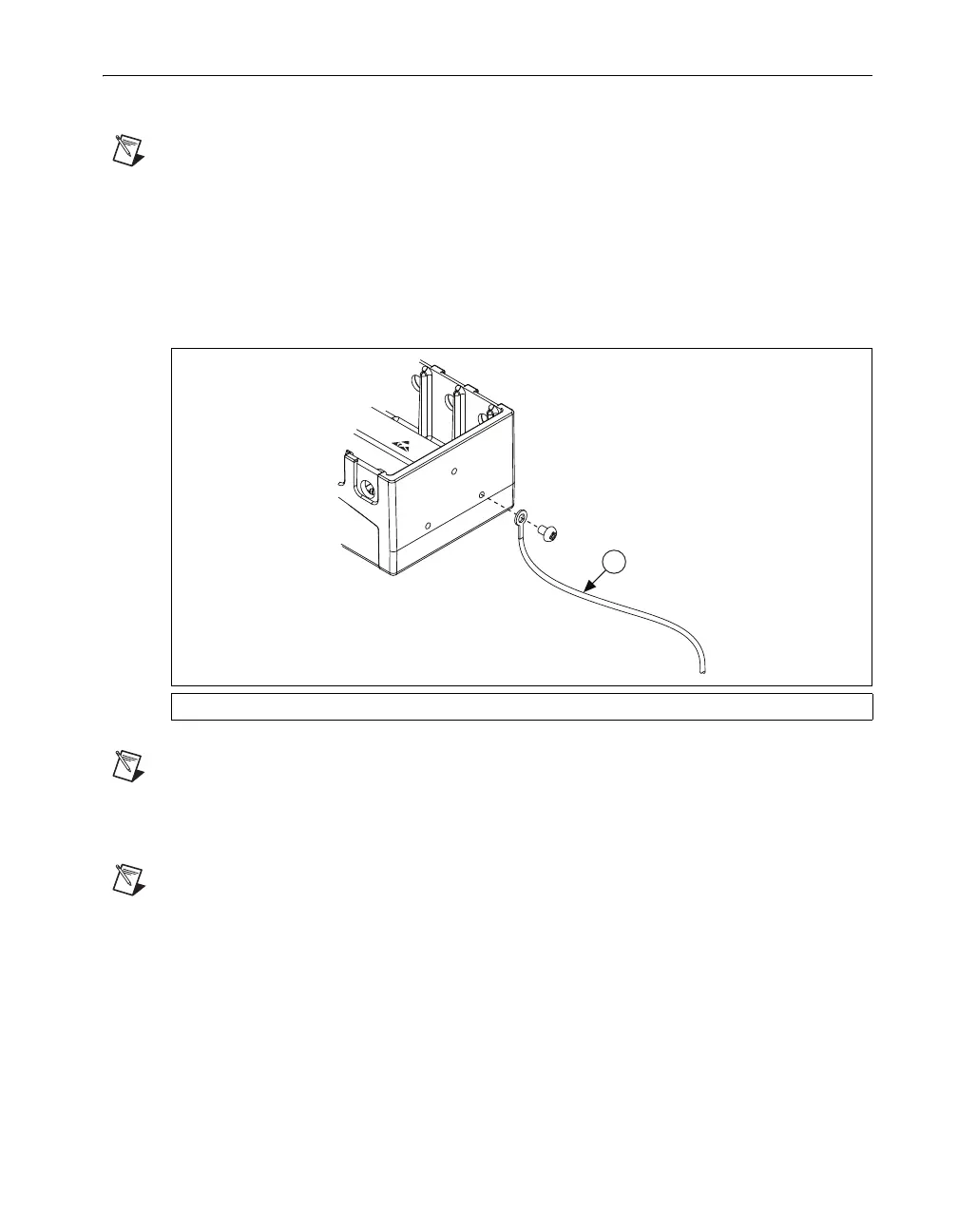
3. Attach a ring lug to a 14 AWG (1.6 mm) wire. Connect the ring lug to the ground terminal on the
side of the chassis using the ground screw. Attach the other end of the wire to the system safety
ground as shown in Figure 7.
Figure 7. Ring Lug Attached to Ground Terminal
Note Additionally, attach a wire with a ring lug to all other C Series I/O module cable shields. You
must connect this wire to the ground terminal of the chassis using the ground screw.
4. Squeeze both C Series I/O module latches, insert the I/O module into the module slot, and press
until both latches lock the module in place.
Note In order to meet EMC compliance standards, you must apply the ferrite included with your
chassis to the power and USB cables. For more information about attaching the ferrite to the cables,
refer to the Ferrite Installation for NI cDAQ-9178/9174 Cables document, included with your
chassis.
5. Connect the NI cDAQ-9178/9174 chassis with the supplied USB cable to any available USB port
on your computer. Use the jackscrew on the locking USB cable to securely attach the cable to the
chassis.
6. Connect the supplied power source to the NI cDAQ-9178/9174 chassis. The NI cDAQ-9178/9174
chassis requires an external power supply that meets the specifications in the Power Requirements
section.
1 Attached to System Ground



 To Next Page