TIP
If you wish to set similar scheduling for every day of the week start by
filling in “all” and then changing the desired days.
TIP
Set the stop time earlier than the start time so that the period extends
beyond midnight. Scheduling then stops at the set stop time the day
after.
Scheduling always starts on the date that the start time is set for.
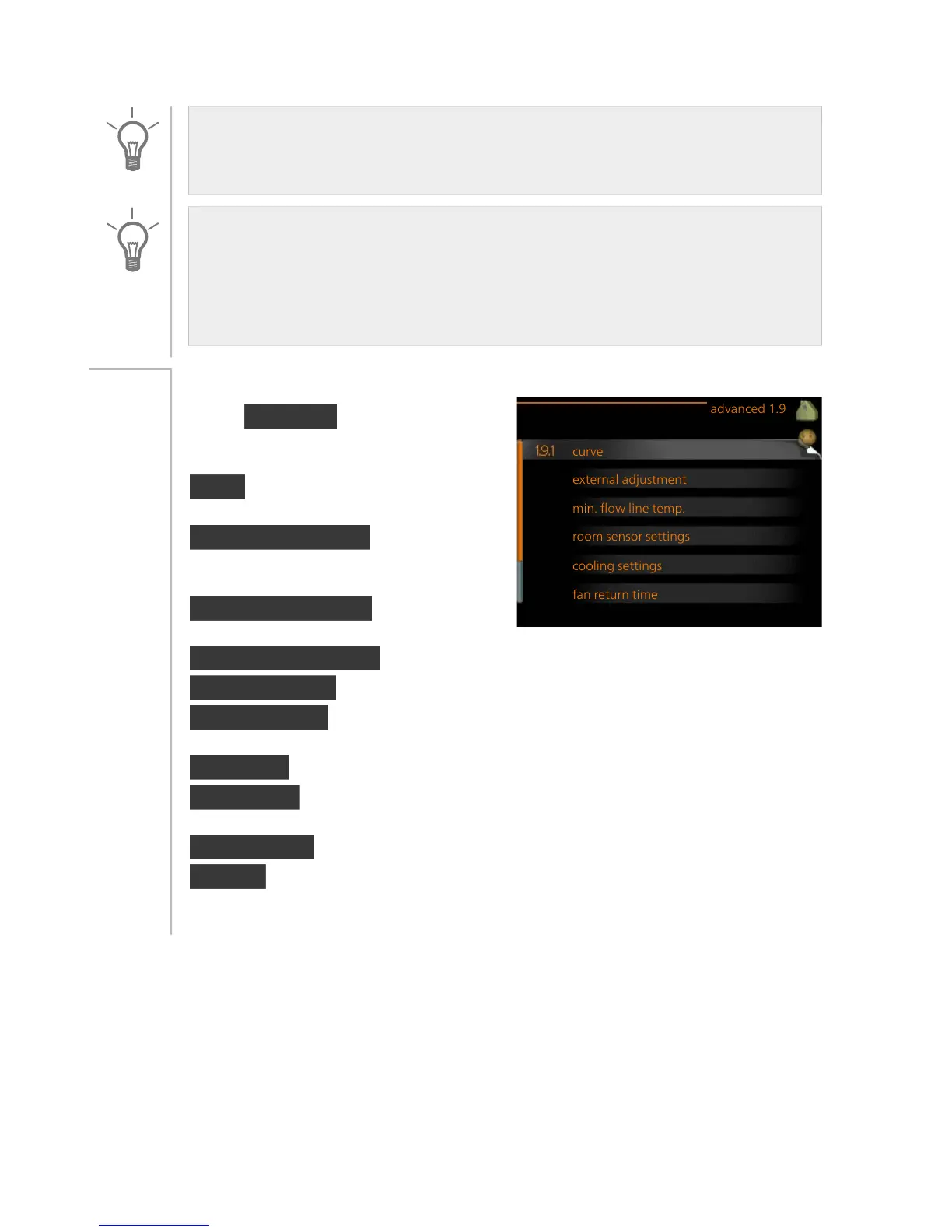
advanced
Menu advanced has orange text and
is intended for the advanced user. This
menu has several sub-menus.
curve Setting the curve slope for
heating and cooling.
external adjustment Setting the heat
curve offset when the external contact
is connected.
min. flow line temp. Setting minim-
um permitted flow line temperature.
Menu
1.9
room sensor settings Settings regarding the room sensor.
cooling settings Settings for cooling.
fan return time Fan return time settings in the event of temporary ventil-
ation speed change.
own curve Setting own curve for heating and cooling.
point offset Setting the offset of the heating curve or cooling curve at a
specific outdoor temperature.
night cooling Setting night cooling.
+Adjust Setting how much effect +Adjust will have on calculated supply
temperature for underfloor heating. The higher the value is the greater
the effect.
33NIBE™ F1155Chapter 3 | F1155 – at your service



 To Next Page