CBOX1050
INSTALLATION AND PROGRAMMING MANUAL
35
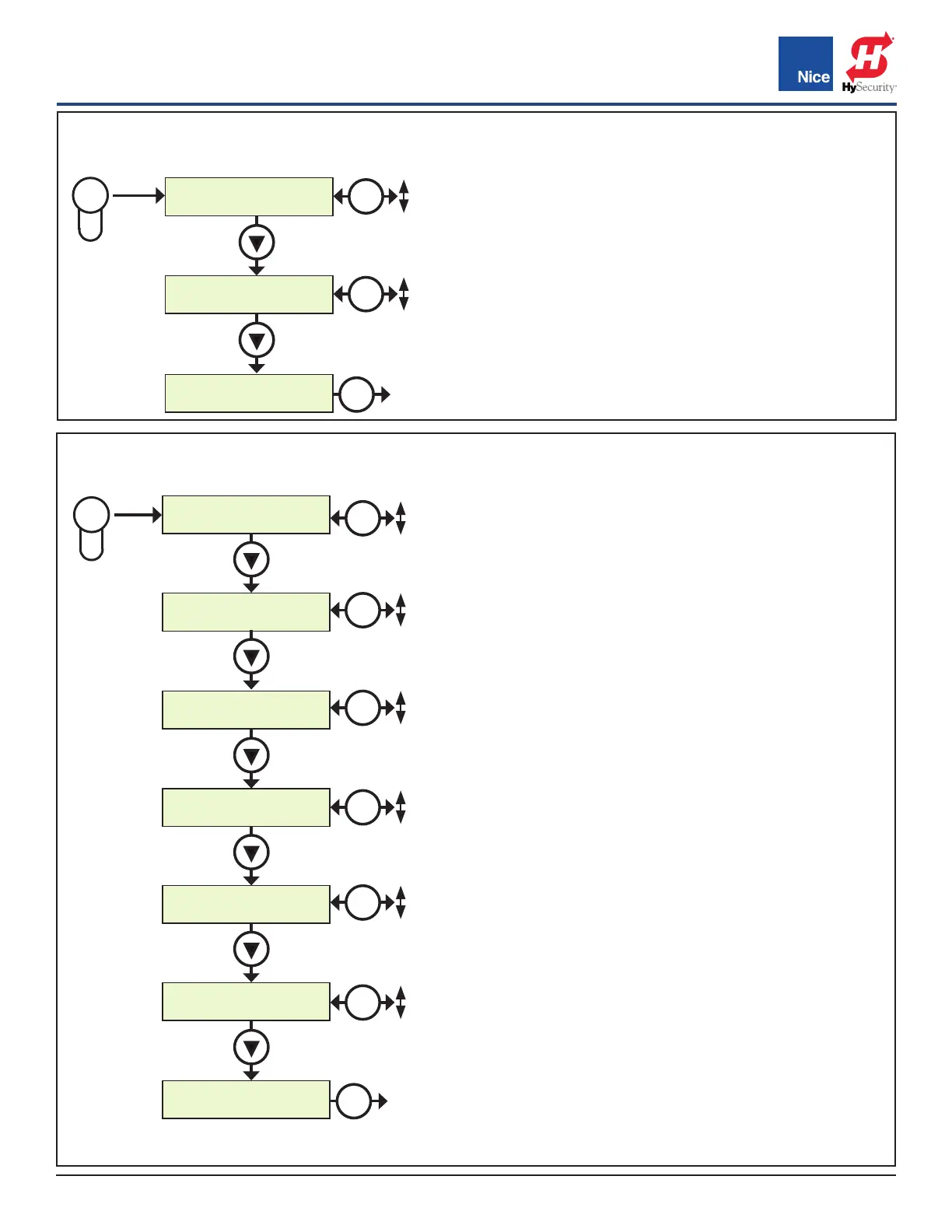
FORCE BUTTON MENU:
Amount of force needed to cause the gate to stop
and reverse when hitting an obstacle.
• STATIC: Set sensitivity to constant force on a
scale of 1 to 10 (1 being the most sensitive).
• DYNAMIC: Set sensitivity of sudden impact
force to the moving gate on a scale of 1 to 10
(1 being most sensitive). 0 = OFF.
• EXIT: Exits the FORCE menu.
FORCE
1.Stac :5
FORCE
2.Dynamic :5
FORCE
3.ESC
FORCE
EXIT
(min-max
sensivity)
(min-max
sensivity)
(Low
to High)
OK
Press
SPEED
1. Max :100
SPEED
2. Standard :100
SPEED
3. Low :50
SPEED
4. SlowDown :50
ACCELERATION
5. Max :10
ACCELERATION
6. Standard :5
ACCELERATION
7. ESC
SPEED
EXIT
Press
OK
SPEED BUTTON MENU:
Sets the speed of the gate under various conditions.
• MAX: Sets limit of max allowed gate speed on scale of 20%
to 100% (20% is lowest setting). It is recommended to set
to default of 100.
• STANDARD: Sets limit of the gate speed during normal
movement (not soft start/stop) on scale of 20% to 100%
(20% being the lowest setting). It is recommended to set to
default of 100.
• LOW: Sets limit of the gate speed while in LEARNING mode
and when moving in SLOW, on scale of 20% to 100% (20%
being the lowest setting). Recommended not to be set lower
than 50. Default setting depends upon learning parameters
• SLOWDOWN: Set gate speed when going into approaching
the open or close limits on scale of 20% to 100% (20% being
the lowest setting).
• ACCELERATION: Adjusts the rate of acceleration/
deceleration when the motor starts and stops moving.
Recommended not to set lower than 40. The lower
this setting the less power the operator will have when
approaching the limit. Setting too low could cause a stall
condition prior to open/close limit.
» MAX: Sets the limit of gate acceleration and
deceleration when reversing the gate after
an obstacle has been detected by
the UL/Edge or current sense feature
(Force). Settings from 3 to 10, with 10 being the highest
rate of gate acceleration.
» STANDARD: Sets the limit of the gate acceleration and
deceleration in normal operation. Settings from 1 to 10,
with 10 being the highest rate of gate acceleration. * *TO
PREVENT DAMAGE TO THE GATE OR THE CONTROLLER
USE LOWER ACCELERATION SETTINGS FOR HEAVIER
GATES.
» ESC: Exit the SPEED / ACCELERATION menus.
SPEED BUTTON
FORCE BUTTON
OK
20%
100%
OK
3
10
OK
1
10
OK
20%
100%
OK
20%
100%
OK
20%
100%
OK
1
10
OK
0
10
www.ApolloGateOpeners.com | (800) 878-7829 | Sales@ApolloGateOpeners.com



 To Next Page