9
A) TX MENU
PARKING CONTROL ENTRANCE (B1*, B2, B3, B4)
Determines which button on the remote control will be considered as “Entrance”
for the Parking Control mode of the MG 3000 Module.
PARKING CONTROL EXIT (B1, B2*, B3, B4)
Determines which button on the remote control will be considered as “Exit” for
the Parking Control mode of the MG 3000 Module.
T. PASSBACK (o*, 1 to 99 s)
Time in seconds in which the equipment disregards the identication of a
similar remote control.
T. ANTI HIKE (o*, 1 to 99 s)
Time in seconds where the Receiver is inactive after the identication of a remote
control, preventing the passage of two vehicles duly equipped with the registered
controls, in the same opening. Thus, it should be notied to users that the system
allows a single pass at a time, especially t when quick doors or barriers are
used, and all events are recorded by the system. It also prevents that upon the
arrival of two vehicles in a row, both are identied sequentially and the second
lose the entry authorization.
06 - REC TX MODE
DIP 1 DIP 2 DIP 3 DIP 4
OFF OFF OFF X
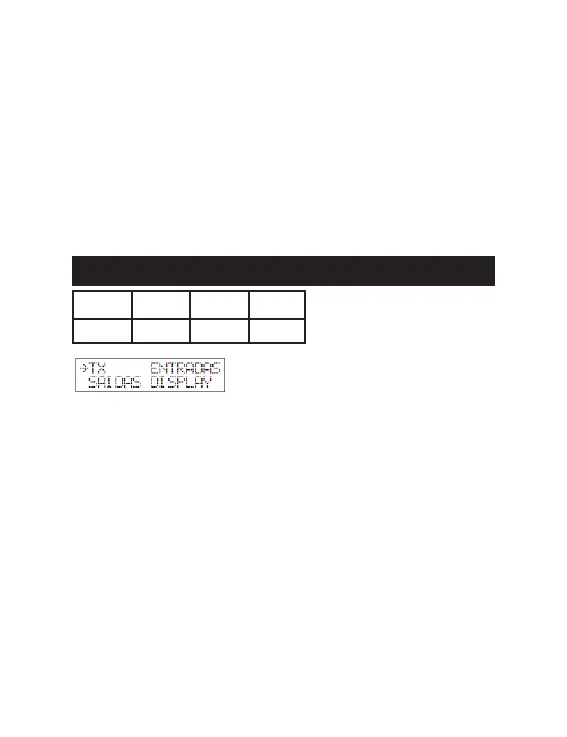
When pressing FWD (B1), the congured operating mode will be displayed, e.g.,
TX and its programming functions;
- To reset the mode, congure the “F) 4-way Dip Switch” according to the desired
option;
- Press UP (B2) or DOWN (B3), until you reach the desired programming func-
tion and then press FWD (B1) to congure it;
- Press UP (B2) to increase and DOWN (B3) to decrease the values and change
the options;
- After nishing, press and release the PROG key. The settings will be saved
automatically;
- The Receiver automatically returns to the normal operating mode if there is no
PROG activity for more than 30 seconds.
- ENGLISH -
65


 To Next Page