11
When selecting PASSIVE TAG mode (or starting the equipment in this mode),
the Receiver will make a quick conguration on all UHF antennas connected to
the RS-485 channels. The same also occurs if a UHF antenna is connected to
the equipment already in operation. Press the PROG key for a few seconds if
you wish to cancel the procedure.
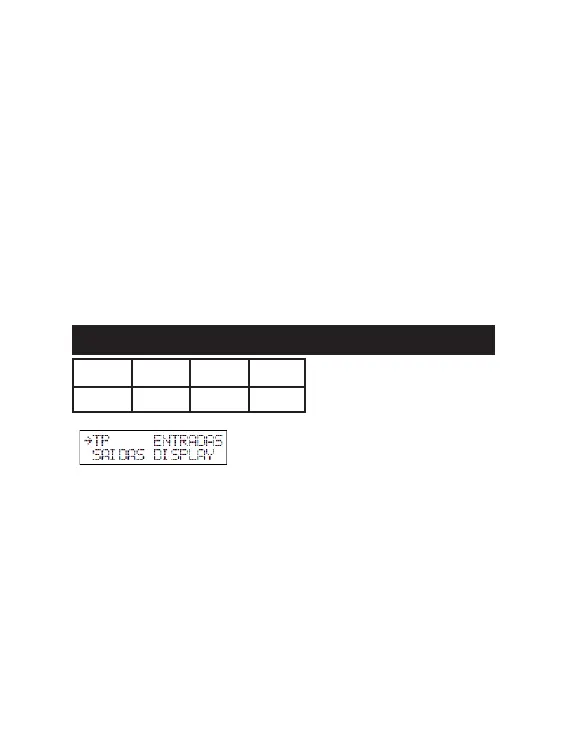
A) TP MENU
LEVEL [L1, L2, L3, L4] (1* to 16)
Sets the power level directly on the UHF antenna connected to the channel
selected.
MULTI TAG (No*, Yes)
Enables the reading of up to 4 UHF Tags at the same time.
UHF BUZZER (on*, o)
Enables sound notications for all UHF antennas connected to the Receiver.
08 - PASSIVE TAG MODE
registered device.
T. ANTI HIKE (o*, 1 to 99 s)
Time in seconds where the Receiver is inactive after the identication of a de-
vice, preventing the passage of two vehicles duly equipped with the registered
devices, in the same opening. Thus, it should be notied to users that the system
allows a single pass at a time, especially t when quick doors or barriers are
used, and all events are recorded by the system.
REMOTE MODE (No*, Yes)
Enables the Receiver control via software integrated in the MG 3000 Module
(remote validation).
B) INPUTS MENU
See item “Common Menus”
C) OUTPUTS MENU
See item “Common Menus”
D) DISPLAY MENU
See item “Common Menus”
DIP 1 DIP 2 DIP 3 DIP 4
OFF ON OFF X
- ENGLISH -
67


 To Next Page