18
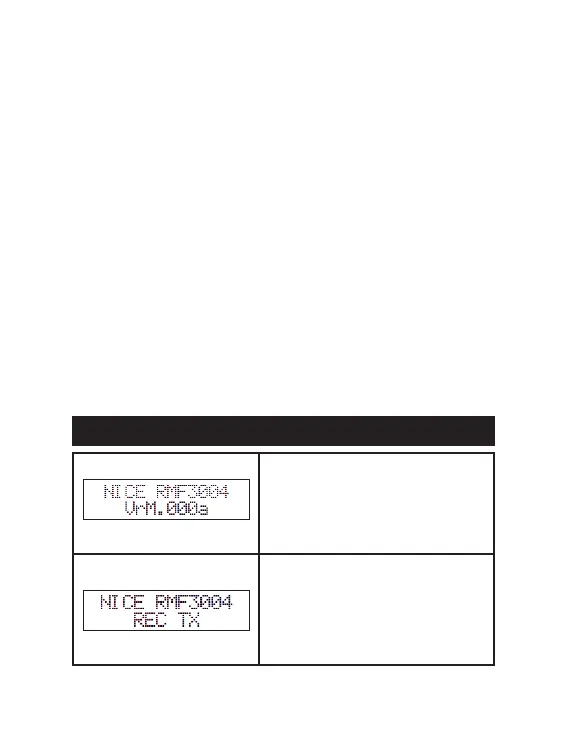
Line 1: Equipment identication
Line 2: Equipment software (rmware)
version
Line 1: Equipment identication
Line 2: Current operating mode (REC
TX, REC CTWB, PASSIVE Tag, REC
TX+TP, REC TX+CTWB, ACTIVE REC
TAG, IO MODULE)
INFO. RECEIVER -> Data of the resident (according to registration in the MG
3000 Module)
Options: Plate*, Apt. (apartment), Apt+Plate (apartment and vehicle license pla-
te)
DISPLAY TYPE -> Message display model
Options: linear*, multitoc
BIP DISP -> Message display sound notications
Options: o*, on
COLOR DISP -> Message color
Options: red*, orange, green, mix
SHOW [B1, B2, B3, B4] LED [1, 2] -> Enables the display of the pressed key on
the remote control
Options: B, N*
Note: Available in REC TX mode only.
SHOW [L1, L2, L3, L4] LED [1, 2] -> Enables the display of the RS-485 channel
activated during access.
Options: L, N*
Note: Available only in REC CTWB, PASSIVE TAG and ACTIVE REC TAG
modes.
SHOW [W1, W2, W3, W4] LED [1, 2] -> Enables the display of the Wiegand
channel activated during access.
Options: L, N*
Note: Available in REC CTWB mode only.
14- SCREENS IN NORMAL OPERATION MODE
- ENGLISH -
74


 To Next Page