DIGITAL AIR MICROMETER USERS MANUAL (Second Edition)
23
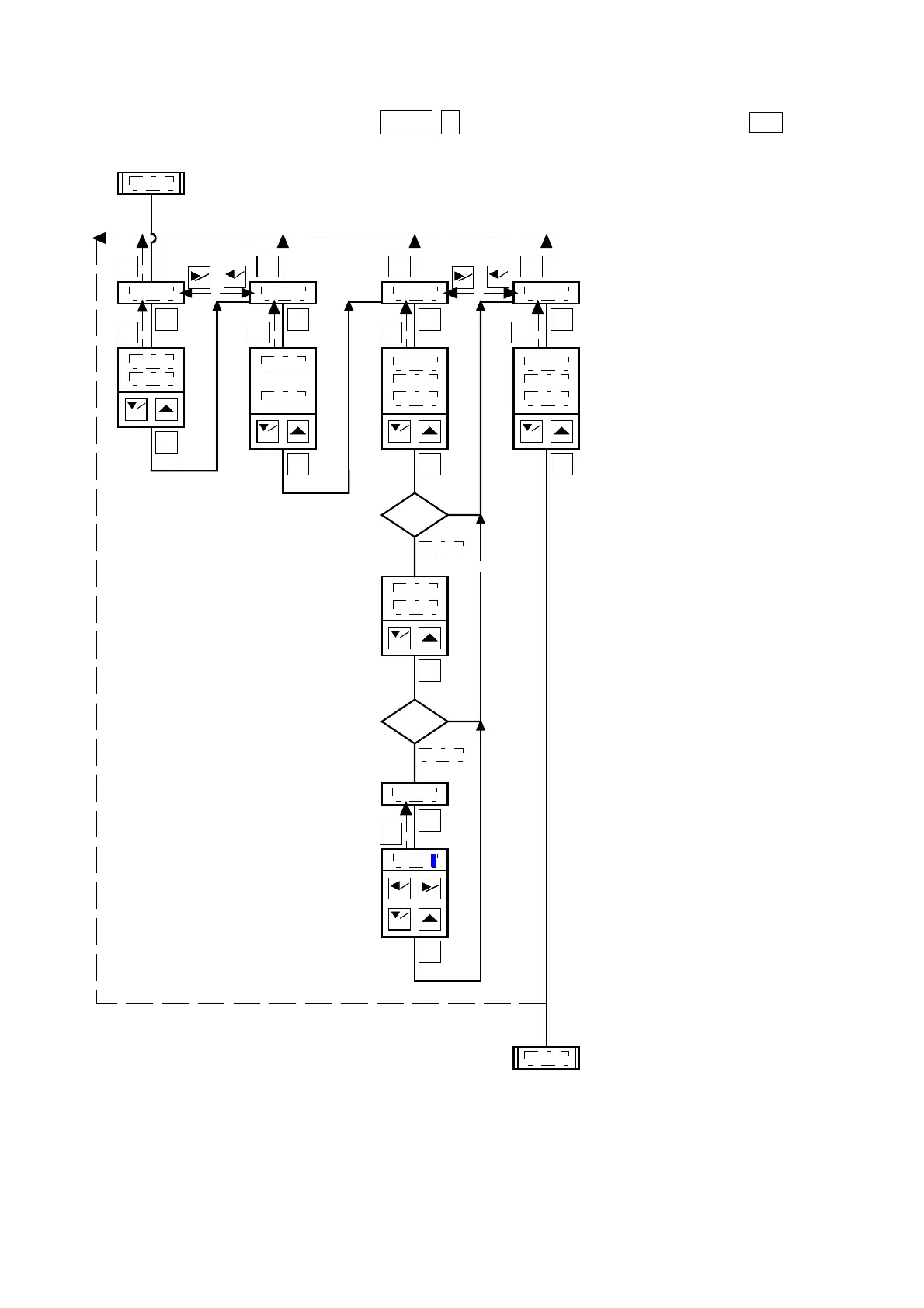
④ System [System settings]
Please change the settings with ▽/
PROG
△. Confirm the settings value by pressing ENT.
PROG
ENT
ENT
RST
PROG
ENT
ENT
RST
MASMAS
SETSET
RSTRST
MEAS SW SMOOTH
System
HOLD
NOT HOLD
30TIMES
~
ONCE
MainDisp
ENT
RST
MEASURED
JUDGMENT
NO USE
PROG
ENT
CharDisp
ENT
RST
MEASURED
JUDGMENT
BAR
PROG
ENT
MEASURED
PROG
ENT
μm
mm
MASMAS
SETSET
is selected
RSTRST
Normal
DIMENSIO
ENT
RST
PROG
ENT
MASMAS
SETSET
1.0000
μm
is selected
※1:External button movement.
※2:Moving average frequency.
●Display settings
Selection of display data at measurement mode
※3:Data shown in main display.
※4:Unit.
※5:Data shown in English display.
※1
※2
※3
※5
※4


 To Next Page