Operation
Starting the Projector
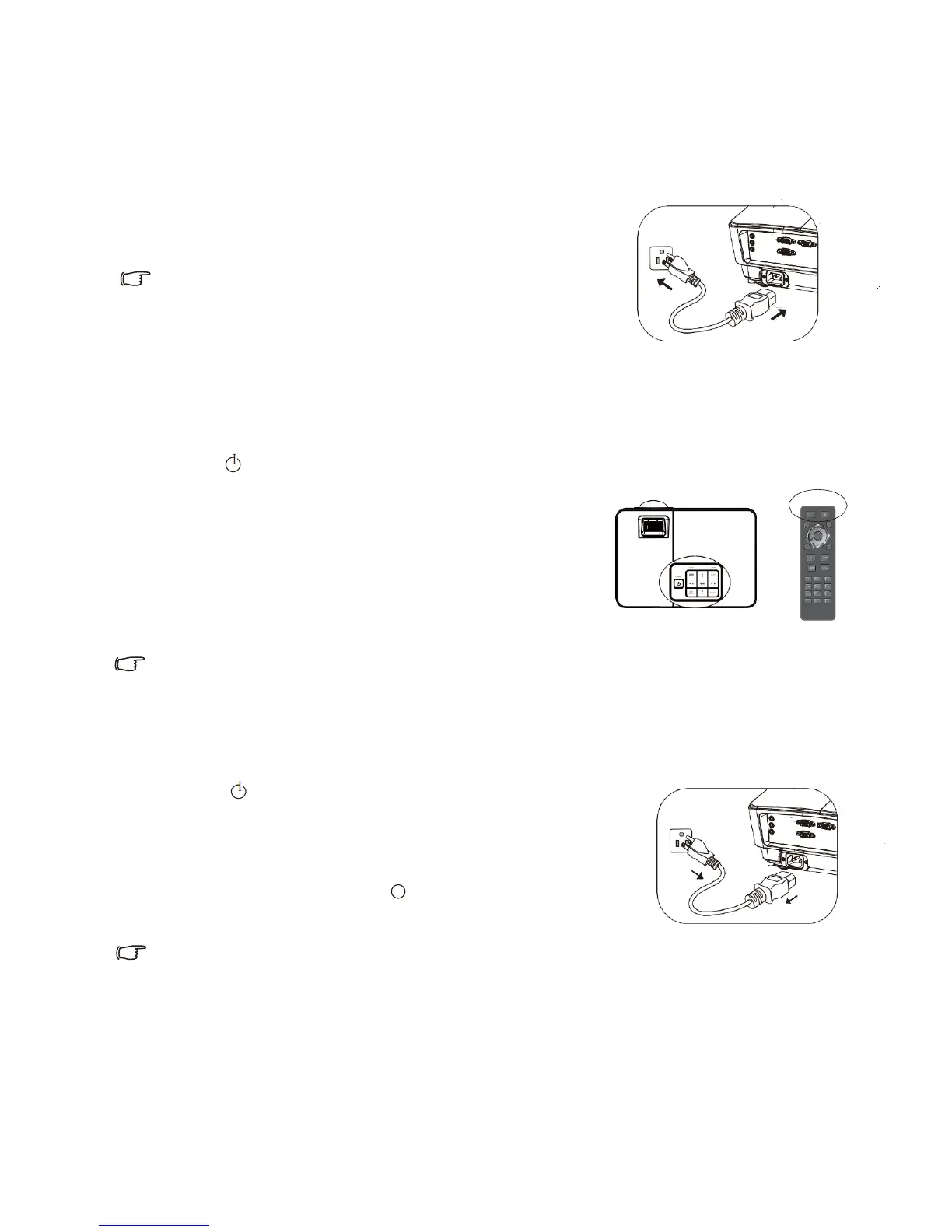
1. Insert both ends of power wire into the projector and power
socket respectively. Check whether power indicator of the
projector is in orange after powering on the projector.
• To avoid potential hazard (such as electric shock and fire
accident), please do only use original accessories (such as
power wire) of the equipment.
• The projector will be started automatically after the projector
is connected with power wire and is powered on in case direct starting function is activated
in System Setting: Basic >Operation Setting menu.
• The projector will be started automatically upon detection of VGA signal in case signal
starting function is activated in System Setting: Basic >Operation Setting menu.
2. Press
I
Power on the projector or power button on remote controller to start the projector.
Power supply starting the projector. When the projector is
connected with power supply,
power indicator will blink at first, and will be in green
stably afterwards.
Starting process is about 10s to 20s. Starting logo will be
displayed in late starting stage. Adjust image definition
with focusing ring when necessary.
In case the projector is not cooled completely from previous operation, cooling fan will be in
operation for about 90s before the bulb of the projector is turned on.
Shutting Down the Projector
1. Press
Power on the projector. A confirmation message will
be displayed for prompt. The message will disappear in case of
no response in several seconds. Please press Power Supply on
remote controller to shut down the projector.
2. Press
I
Power on the projector afterwards. Power. The indicator
will blink in orange, and the bulb of the projector will be off,
and the fan will continue to be in operation to cool the projector.
• In case the projector is not shut down correctly, to protect the bulb, the fan will be in operation for
several minutes for cooling in restarting of the projector. Press Power Supply again to start the
projector after the fan is out of operation and power indicator turns orange.
• Actual service life of the bulb differs from environmental conditions and service
conditions.


 To Next Page