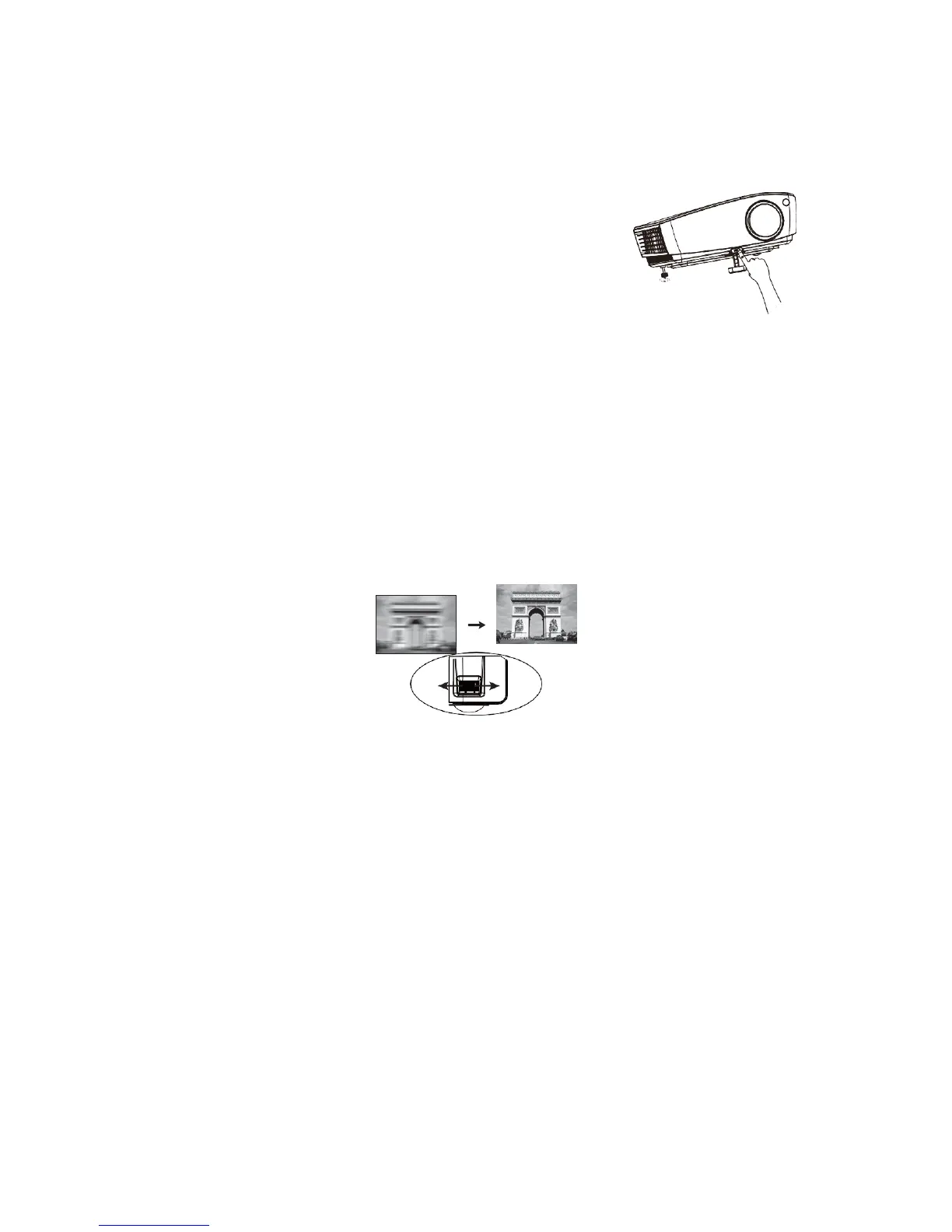
Adjusting Projection Angle
The projector is equipped with a quick-adjusting support and a rear adjustable support. These
adjustable supports enable the adjustment of image height and projection angle. To adjust the
projector:
1. Press quick support adjusting button to lift front part of the
projector. Release quick support adjusting button after
adjusting image position to lock the support in place.
2. Rotate rear adjustable support to perform fine adjustment of
horizontal angle.
To retract the support, lift the projector and press quick support adjusting button, and then
lower the projector slowly. Rotate rear adjustable support in reversed direction.
The projector is equipped with lifting support for the adjustment of image height. Rotate the
lifting support for fine adjustment of image height.
Fine adjustment of image definition
Make the image clearer with focusing ring.


 To Next Page