EasyManua.ls Logo

Nierbo UT300 - Page 23

Nierbo UT300
44 pages
Print Icon
To Next Page IconTo Next Page
To Previous Page IconTo Previous Page
Loading...
21
2.
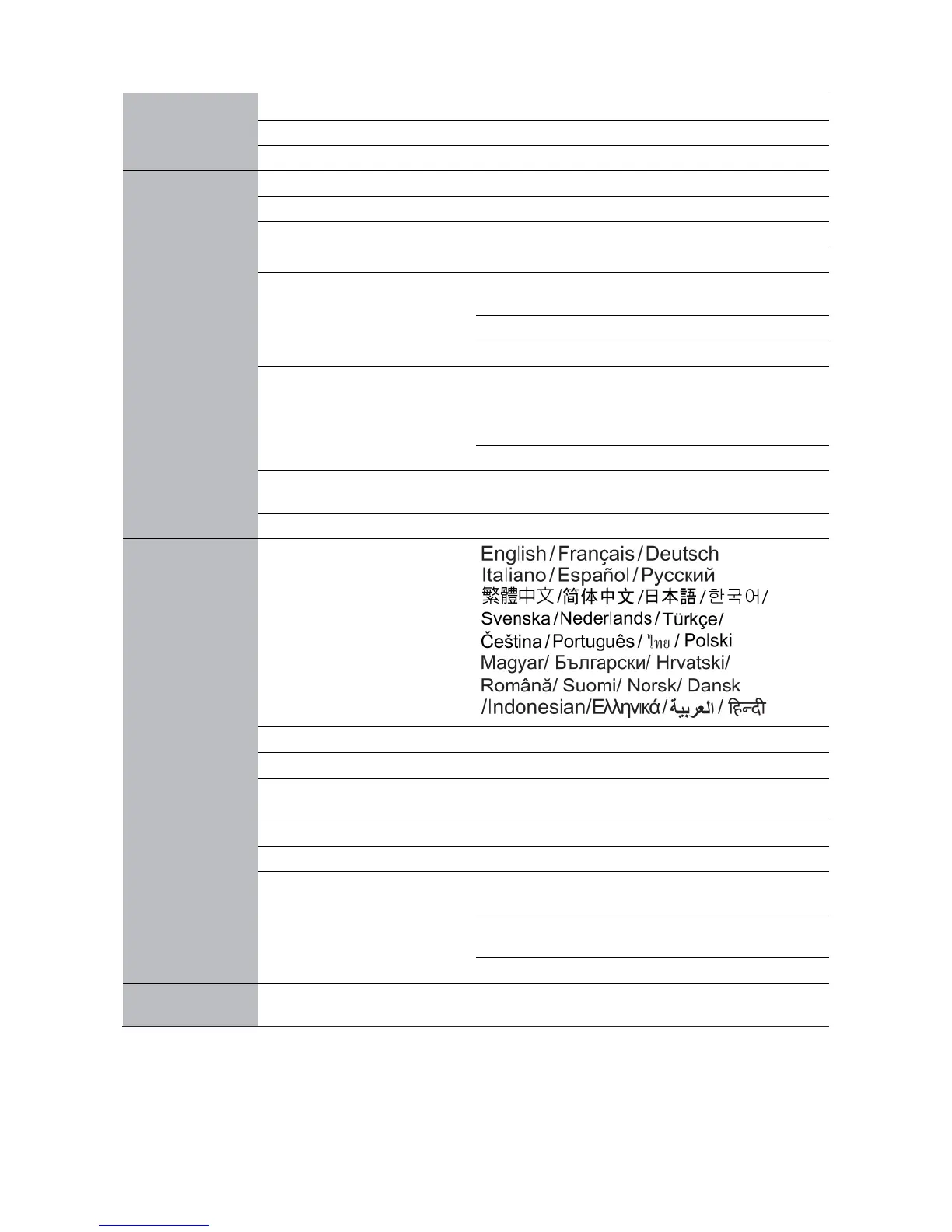
Audio setting
Mute
Enable
/Disable
Volume
0 - 10
Microphone Volume
0 - 10
3. Display
Width Ratio
Width/Mail Box/Automatic/4:3/16:9
Wall Color Correction
Light Yellow/Peach/Light Green/Blue/Close
Image Position
Overscanning adjustment
0 - 3
PC & Fractional Frequency
YPbPr Adjustment
Horizontal
Dimension
-15 - 15
Phase Position
0 - 31
Auto
3D
3D Mode
Automatic/3D Disable/Frame
Sequence/Frame
Encapsulation
/Top-
Bottom/Parallel
3D Sync Invert
Trapezoidal Distortion
Correction
-40 - 40
Automatic Trapezoidal Correction
Enable/Disable
4. System Setting:
Basic Down
Language
Background Color
Black/Blue/Purple
Startup Picture
Black/Blue
Projector Position
Front/Front Projection with Upside Down/Rear/Rear
Projection with Upside
Automatic Shutdown
Disable/5min/10min/15min/20min/ 25min/30min
Direct Shutdown
Enable/Disable
Menu Setting
Menu Setting
Center/Top Left/Top Right/
Bottom Right/Bottom Left
Menu Display Time
Displayed all the
Time/5s/10s/15s/20s
Blank Prompt Information
Automatic Signal Source
Research
Enable/Disable