CONNECTIONS
E-6
General
There are many different types of TV/Recording devices and other equipment
that you can connect to the Settop box. In this manual you will see some of the
most common ways to connect your equipment.
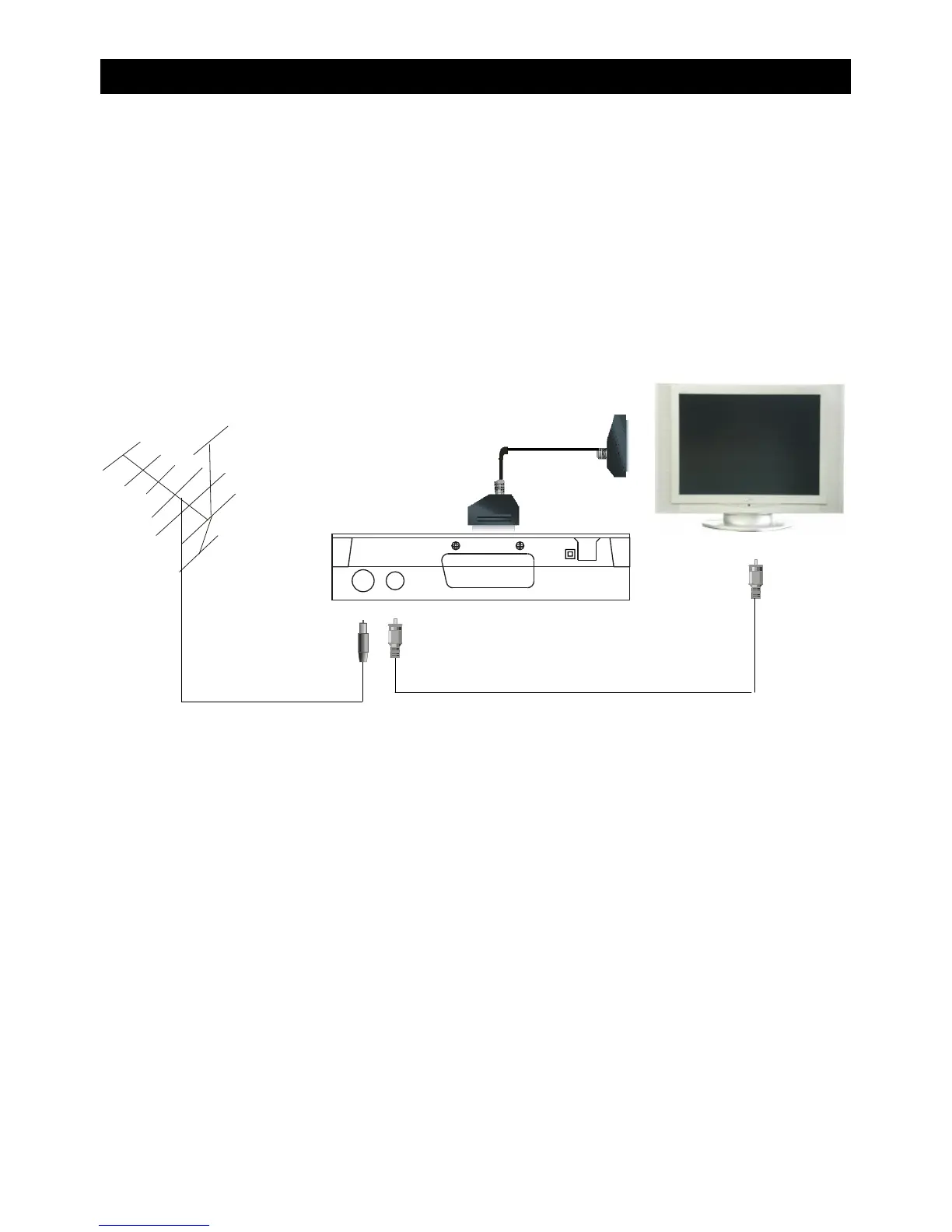
Connection to the TV with scart
Antenna
Scart cable
RF lead
1 Connect the Antenna to the ANT IN socket on the re ar of the set top box.
2
Connect an RF lead from the LOOP OUT socket on the rear of the set top box to the
ANT In socket on the rear of the TV.
3
Connect a scart cable from the the TV SCART socket on the rear of the set top box to
the SCART socket on the rear of the TV.
ANT IN LOOP OUT
SCART-TV


 To Next Page