GETTING STARTED
E-7
Putting into operating
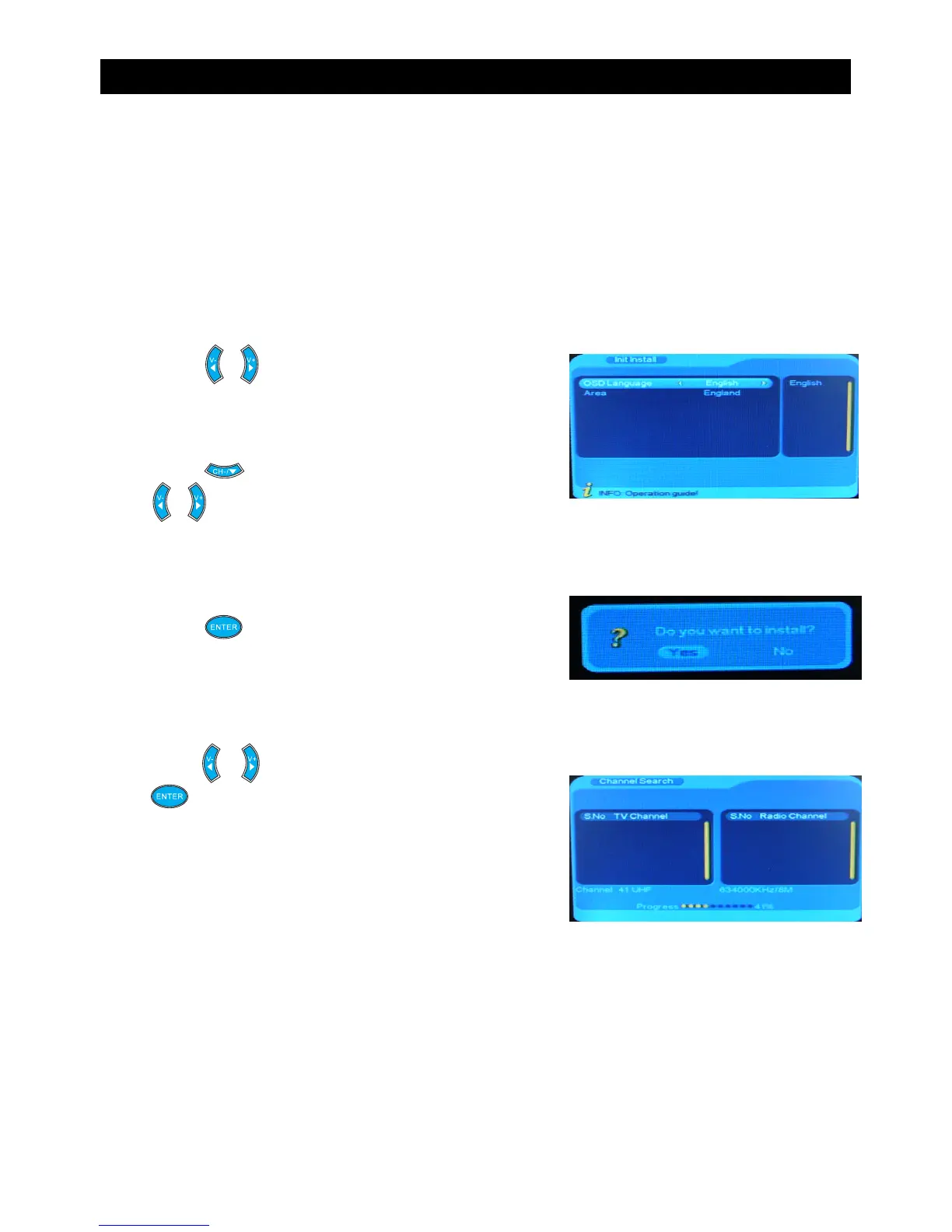
Init Install
Make sure that all the connections have been made before connecting to the mains supply.
Plug the STB into the mains supply and the STB will switch on.
When the STB is first started from standby mode, there are no channels stored inside the
memory. An ‘Init Install’ menu will be displayed.
1. Press the or button to select the OSD language.
5. When the channel searching is finished successfully,
the STB is ready to use.
4. Press the or button to select “Yes” and press
the button to start the channel searching.
3. Press the button and a confirmation message
will appear.
2. Press the button to highlight “Area” and
the or button to select “England”.


 To Next Page