8
s
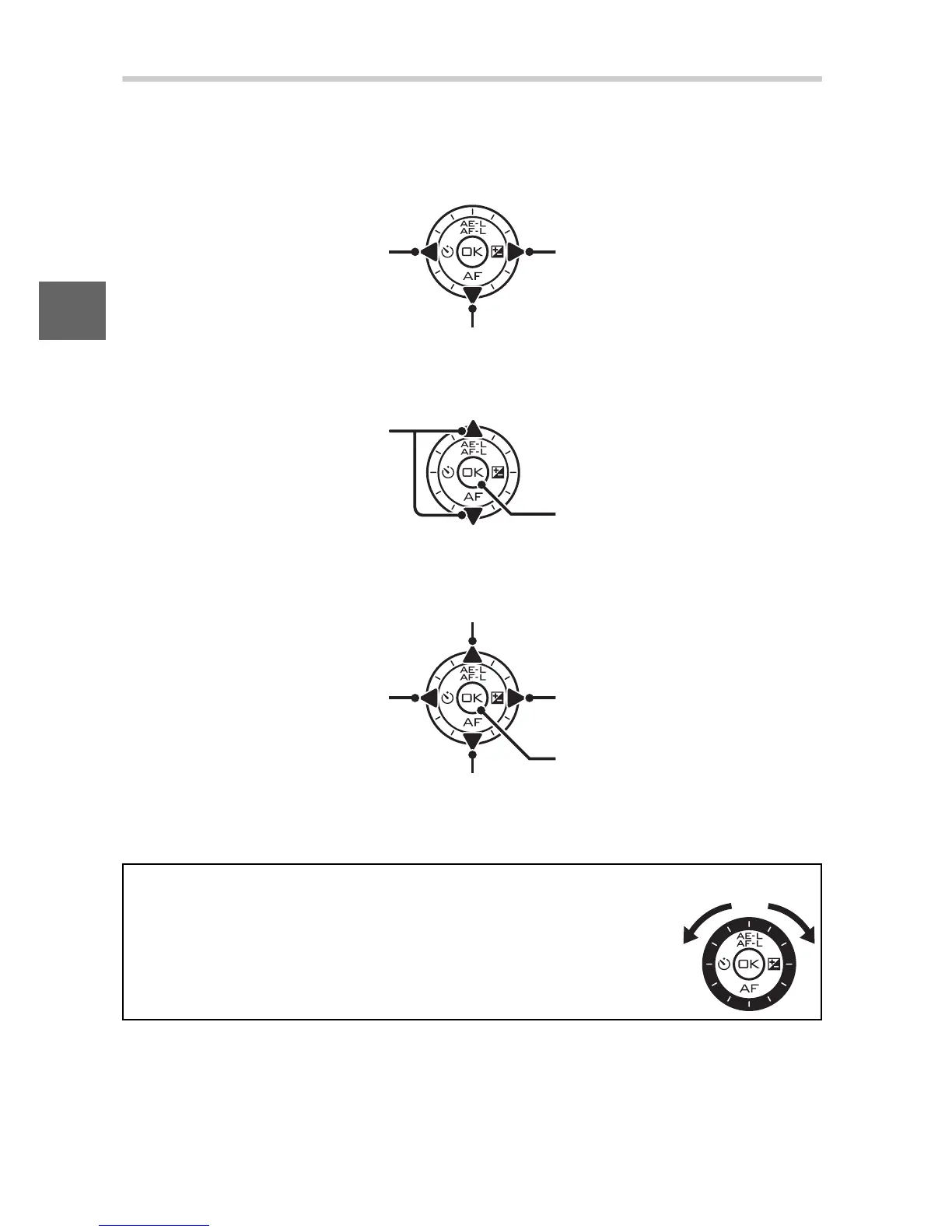
The Multi Selector
The multi selector and J button are used to adjust settings and
navigate the camera menus.
❚❚ Displaying Shooting Options
❚❚ Selecting Shooting Options
❚❚ Menu Navigation (0 10)
Press left (E) to view
self-timer/remote control
options (0 49)
Press right (E) to view
exposure compensation
options (0 57)
Press down (%) to view focus mode options (0 52)
Press up (
1) or down (3) to
highlight options (you can
also highlight options by
rotating the multi selector)
Press J to select
highlighted option
Press up (
1) to move cursor up
Press left (
4) to cancel and
return to previous menu
Press right (
2) to select
highlighted item or display
sub-menu
Press J to select
highlighted item
Press down (3) to move cursor down
Note: You can also highlight items by rotating the multi selector.
A
The Multi Selector
In this manual, the 1, 2, 3, and 4 symbols are used to
represent up, right, down, and left on the multi selector.
Items can be highlighted by rotating the multi selector
as shown at right.



 To Next Page