109
i
i
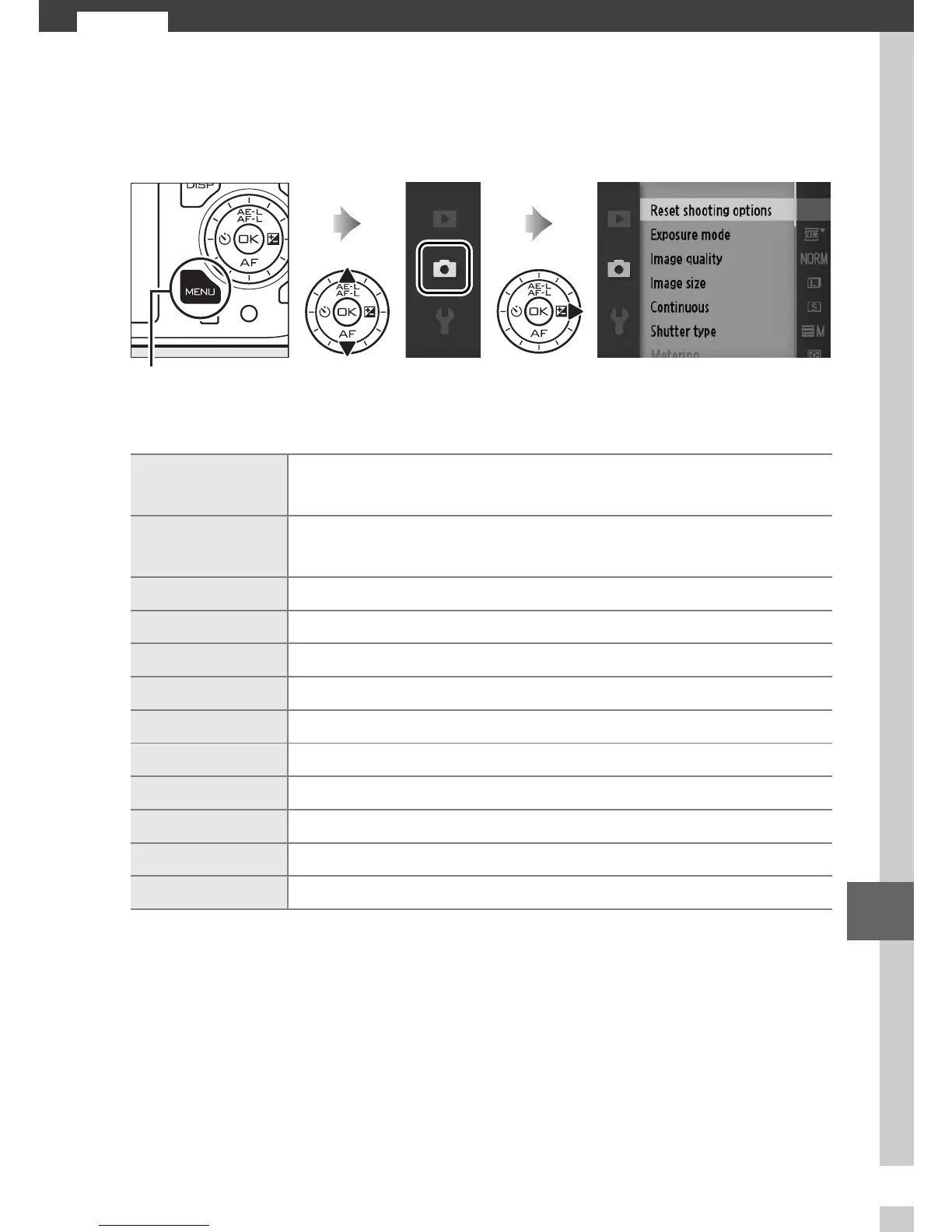
The Shooting Menu
To display the shooting menu, press G and select the shoot-
ing menu tab (C, y, 1, or z).
The shooting menu contains the following options:
G button
Reset shooting
options
Reset shooting options to default values (0 110).
Exposure mode
Choose how the camera sets shutter speed and aper-
ture (0 111).
Image quality Choose a file format and compression ratio (0 119).
Image size Choose a size for new photos (0 119).
Continuous Take photos one at a time or in a burst (0 121).
Shutter type Adjust shutter settings for still image mode (0 122).
Frame rate Choose a frame rate for slow-motion movies (0 122).
Movie settings Choose HD movie frame size and frame rate (0 123).
Metering Choose how the camera meters exposure (0 124).
White balance Adjust settings for different types of lighting (0 126).
ISO sensitivity Control the camera’s sensitivity to light (0 131).
Picture Control Choose how the camera processes pictures (0 132).



 To Next Page
 Loading...









