14
s
3
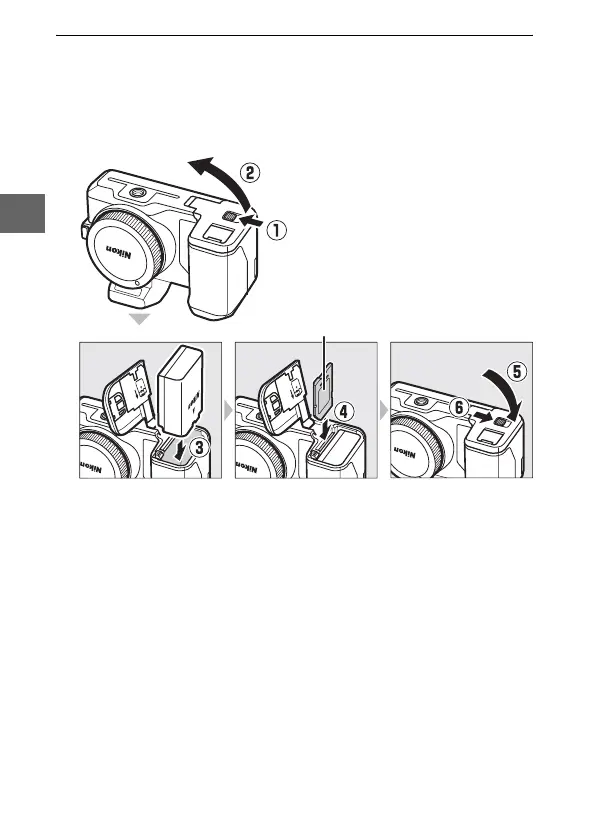
Insert the battery and a memory card.
Check to be sure the battery and card are in the correct orien-
tation. Using the battery to keep the orange battery latch
pressed to one side, slide the battery in until it latches, and
then slide in the memory card until it clicks into place.
Front



 To Next Page