76
t
GP-N100 GPS units (available separately) can be used to record
information on your current position when pictures are taken.
This information can be viewed on a computer using ViewNX 2
(supplied) or Capture NX 2 (available separately; 0 171).
ViewNX 2 can be installed from the supplied ViewNX 2/
Short Movie Creator CD.
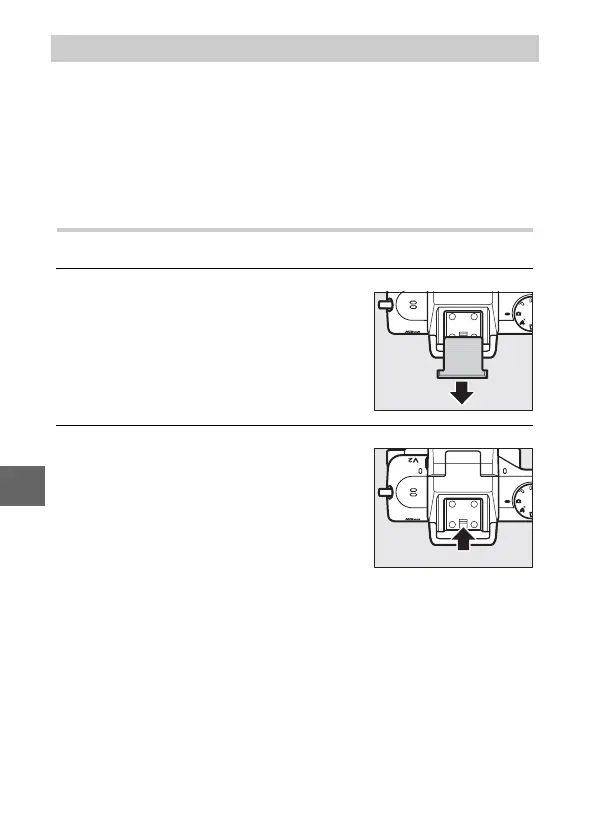
Attaching the GP-N100
The GP-N100 attaches to the camera multi accessory port.
1
Remove the multi accessory port cover.
2
Attach the GP-N100.
The GP-N100 GPS Unit
Remove the cover as shown at right.
Keep the cover in a safe place and
replace it when the port is not in use.
Turn the camera off and mount the
GP-N100 on the multi accessory port
as described in the manual provided
with the GPS unit.



 To Next Page