56
y
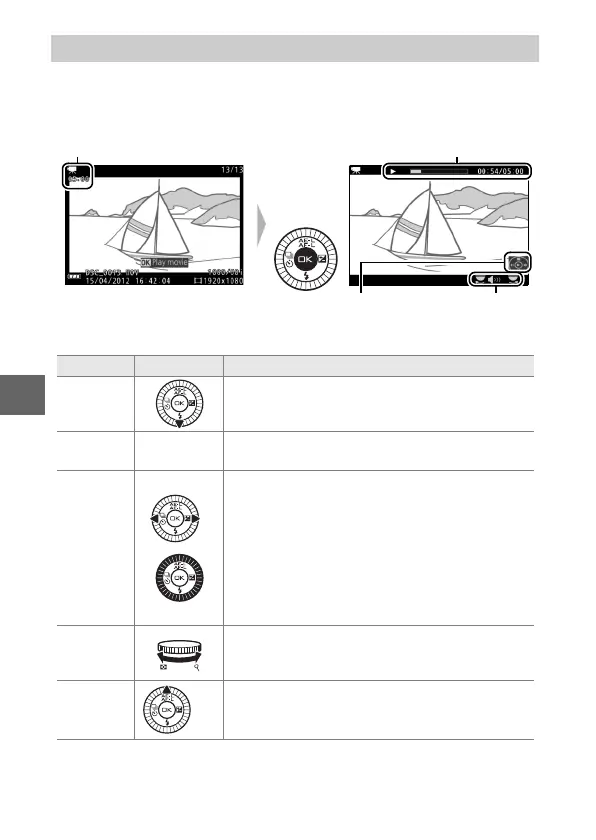
Movies are indicated by a 1 icon in full-frame playback (0 30).
Press J to start playback.
The following operations can be performed:
Viewing Movies
1 icon/Length
Movie playback indicator/
Current position/total length
Guide Volume
To Use Description
Pause Pause playback.
Play J
Resume playback when the movie is paused
or during rewind/advance.
Advance/
rewind
/
Press 4 to rewind, 2 to advance. Speed
increases with each press, from 2× to 4× to 8×
to 16×. If playback is paused, the movie
rewinds or advances one frame at a time; keep
the button pressed for continuous rewind or
advance. You can also rotate the multi selector
to rewind or advance when playback is
paused.
Adjust
volume
Rotate the command dial to adjust volume.
Return to
full-frame
playback
/K Press 1 or K to exit to full-frame playback.



 To Next Page