28
z
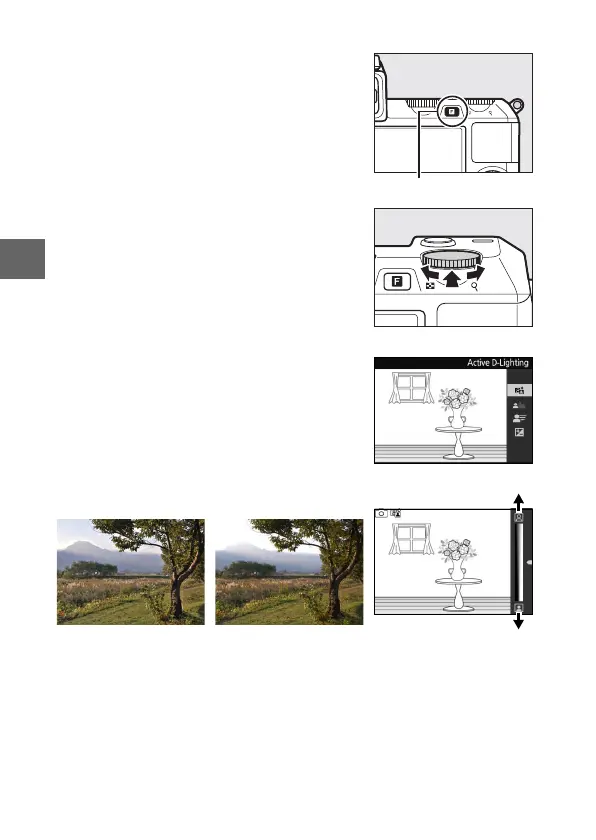
❚❚ Live Image Control
Live image controls let you preview how
changes to each control will affect the
final photograph. To choose a live image
control for auto mode, press & and use
the command dial. Rotate the dial to
highlight an item and press the dial to
view the effect.
Rotate the command dial to adjust the
selected item. To hide live image con-
trols, press & again.
& button
Command dial
Active D-Lighting: Preserve details in high-
lights and shadows for natural contrast.
Increase effect
Reduce effectActive D-Lighting: High Active D-Lighting: Low



 To Next Page