El
16
1
2 3
The
Camera
Body
(Continued)
4
~I
0
~==~----~~~---5
19
~~
-
ill
Ul
~
18
17
13 12
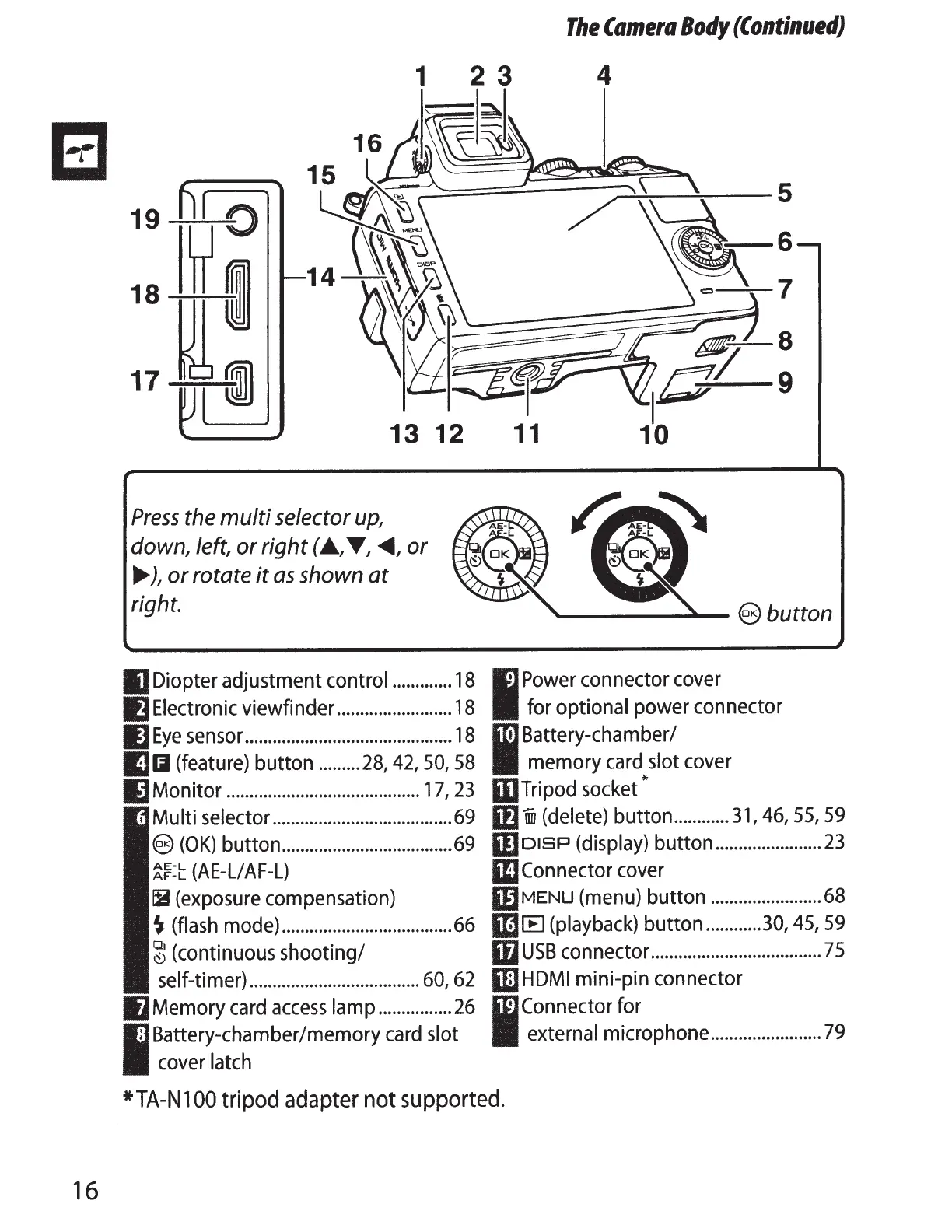
Press
the
multi
selector up,
down, left,
or
right
(A.,
T,
~'or
.,...
),
or
rotate
it
as
shown
at
right.
IJ
Diopter adjustment control
.............
18
IJ
Electronic
viewfinder
.........................
18
ll
Eye
sensor
.............................................
18
IJIJ
(feature)
button
.........
28,
42,
50,
58
Monitor
..........................................
17,
23
Multi selector
.......................................
69
9
(OK)
button
.....................................
69
~f:t
(A
E-Ll
AF-L)
IB
(exposure
compensation)
~
(flash
mode)
.....................................
66
~(continuous
shooting/
self-timer)
.....................................
60,
62
Memory
card
access
lamp
................
26
Battery-chamber/memory
card
slot
cover
latch
6
-~7
I
Power
connector
cover
for optional power connector
1m
Battery-chamber/
II
memory
card
slot
cover
mrripod
socket*
lflUiJ
(delete)
button
............
31,
46,
55,59
moiSP
(display)
button
.......................
23
IIJConnector
cover
mMENU
(menu)
button
........................
68
m [E]
(playback)
button
............
30,
45,
59
ifl
USB
connector
.....................................
75
II!J
HOM
I
mini-pin connector
W
Connector for
II
external microphone
........................
79
*TA-N
100
tripod
adapter
not supported.



 To Next Page