EasyManua.ls Logo

Nikon 1 v2 - Page 35

Nikon 1 v2
349 pages
Print Icon
To Next Page IconTo Next Page
To Previous Page IconTo Previous Page
Loading...
-
R,
S,
A,
and
M
Modes
P,
S,
A,
and
M
modes
offer
varying
degrees
of
control
over
shutter
speed
and aperture. Choose
a mode and adjust
settings according
to
your creative intent.
II
Adjusting
Settings
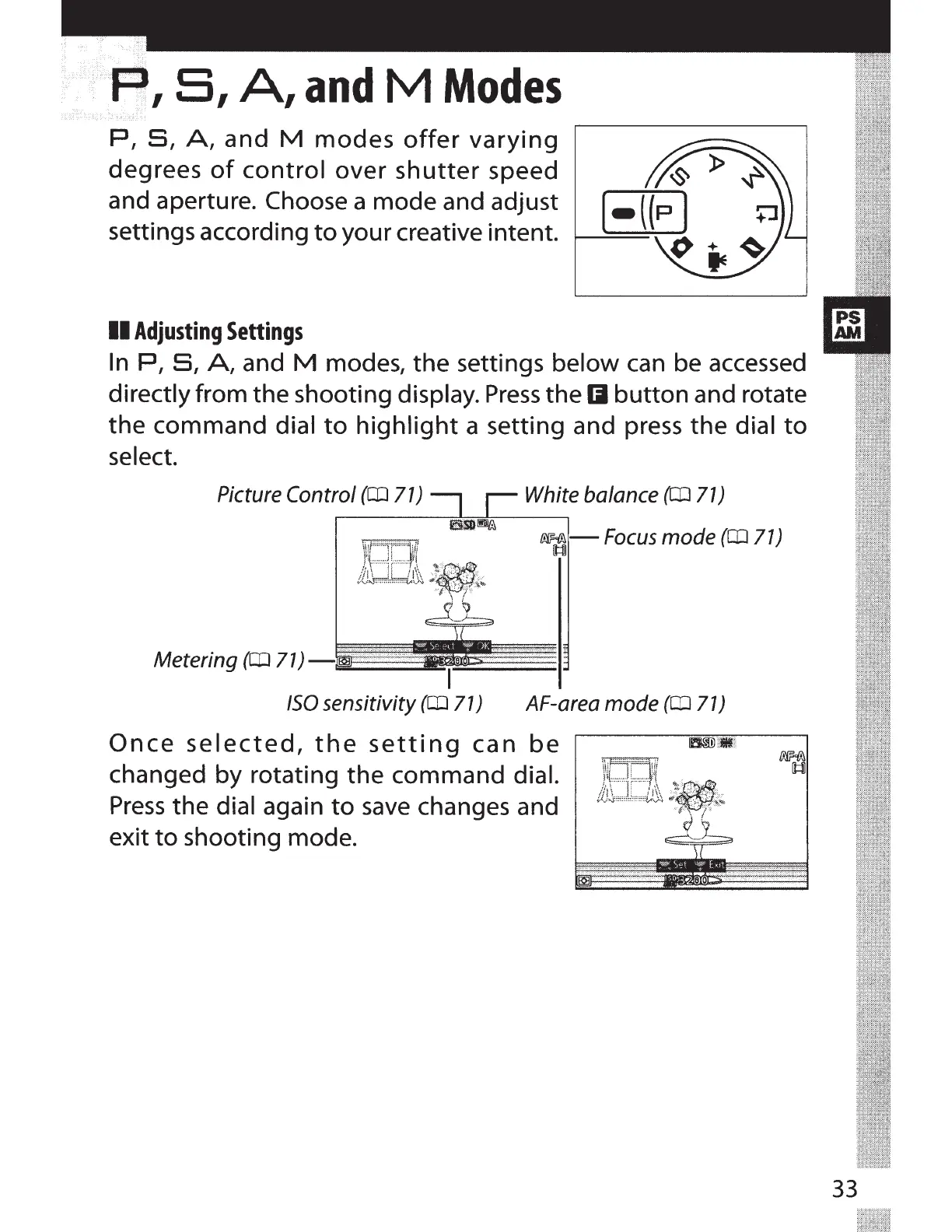
In
P,
S,
A,
and
M
modes,
the
settings below can be accessed
directly from the shooting display.
Press
the
II
button
and rotate
the
command
dial
to
highlight
a setting and press
the
dial
to
select.
Picture Control
(ClJ
71)
Metering
(ClJ
71)-
I
White balance
(ClJ
71)
f!§<f!!.-
Focus
mode
(ClJ
71)
[1::1]
ISO
sensitivity
(ClJ
71) A F-a rea mode
(ClJ
71)
Once
selected,
the
setting
can
be
changed by rotating
the
command dial.
Press
the
dial again
to
save
changes and
exit
to
shooting mode.
33

Table of Contents