EasyManua.ls Logo

Nikon 1 v2 - Page 41

Nikon 1 v2
349 pages
Print Icon
To Next Page IconTo Next Page
To Previous Page IconTo Previous Page
Loading...
In
P,
S,
A,
and M modes,
the
movie-
record
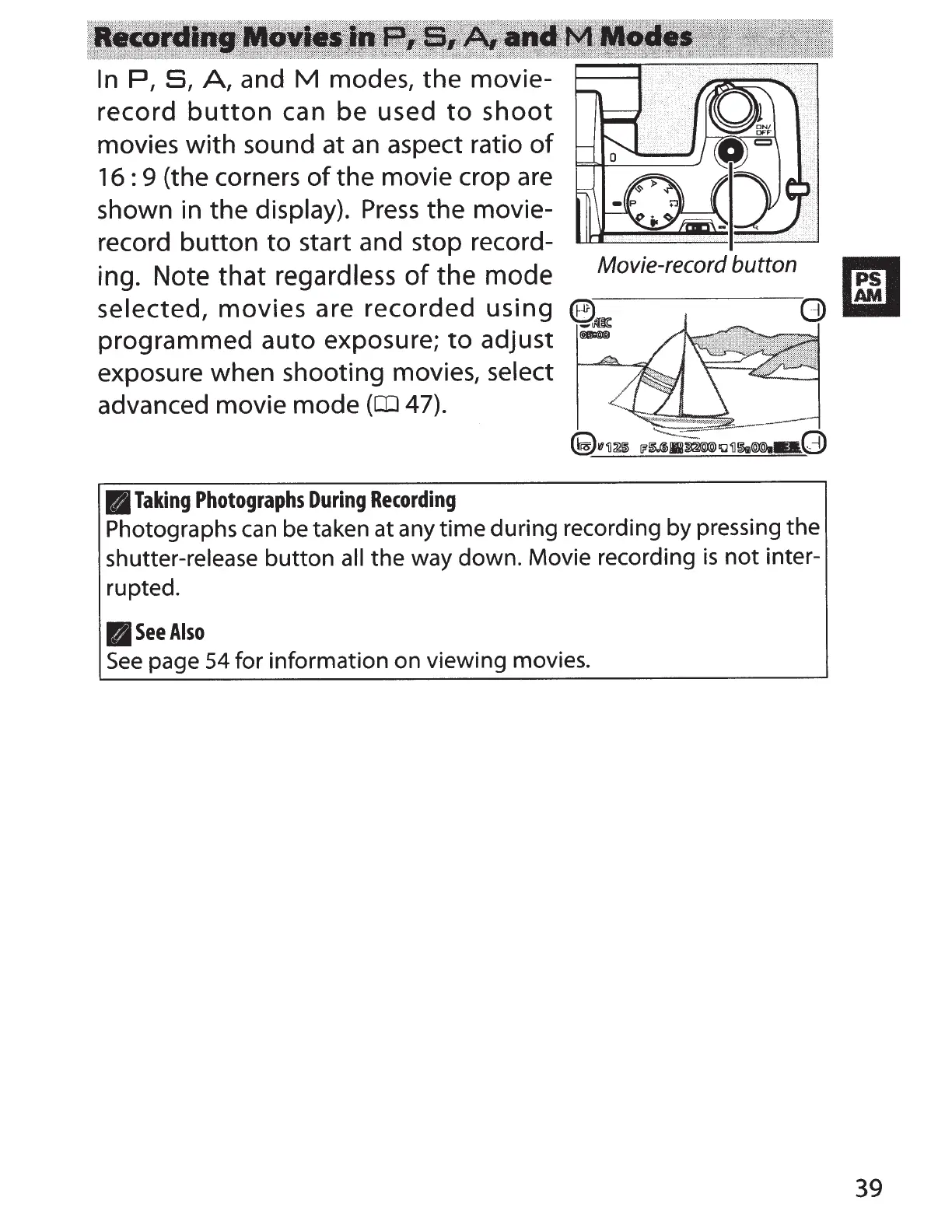
button
can
be
used
to
shoot
movies
with
sound at
an
aspect ratio
of
16:
9 (the corners
of
the
movie crop are
shown in
the
display).
Press
the
movie-
record
button
to
start and stop record-
ing. Note that regardless
of
the mode
selected,
movies
are
recorded
using
programmed
auto
exposure;
to
adjust
exposure when shooting movies,
select
advanced movie
mode
(OJ
47).
B
Taking
Photographs
During
Recording
Movie-record button
Photographs
can
be taken at any
time
during recording by pressing the
shutter-release
button
all
the way down. Movie recording
is
not
inter-
rupted.
IlSee
Aiso
See
page
54
for information on viewing movies.
39

Table of Contents