46
Deleting Pictures
·~:t::6:::n~:x:::::;:~:~:=:::~:;;:::::~:::=::x't=':::i::=::::::=;.::=:~,~~::::~==~===~:::-;::==~::w:~~=~=:=:~=t:':=
..
~=O::=~::;::
-;:;::
:f::::::=·
·:':':':'~:':'?:::-
'="
-
==~=:::=::::~==:::::::r=:::::===~;.=:=:=:::=:=::::::~:=:~=:::=~:M:=i:=:~==~==~:::~:::t:::::::::t
..
~~==~n:::::::::>::~=~Ni?~~===~====%=:=~~t::=:;.::&::::~=::::::::::::::::::o:~:::):::%::::::.~~%~;:::
..
~r:::::::::,::=~=~~~::::::::.i:-=:~:;;~:n~
:::<::t:=:::=:::::=
::
8=:::=:@
:
f.:::::~:=~:=:=:::=:::::::::'i::=:~::::::::=:~
::::
::~.:::~.::
:::::::::::-~:=::::~:::::::::<=
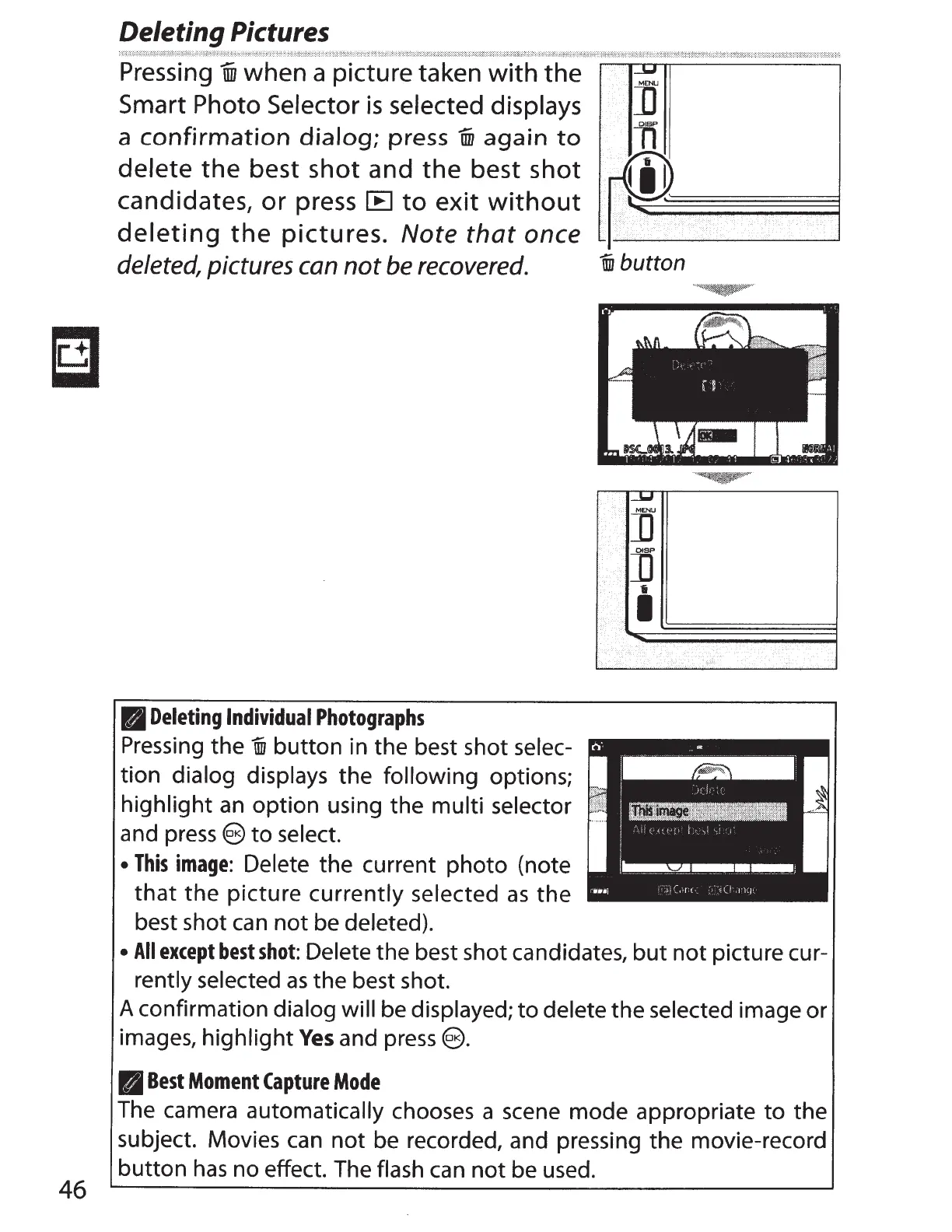
Pressing
1iD
when a picture taken
with
the
___,
Smart
Photo
Selector
is
selected displays
]'
OISP
a
confirmation
dialog;
press
Uii
again
to
At
delete
the
best
shot
and
the
best
shot
rti!.
candidates,
or
press
IE
to
exit
without
1
)>
~~-~~~~~~
deleting
the
pictures.
Note that once
deleted,
pictures
can
not
be
recovered.
lll
Deleting
Individual
Photographs
Pressing the
i
button in the best shot selec-
tion dialog displays the
following
options;
highlight
an
option using the
multi
selector
and
press
e
to
select.
•
This
image:
Delete the current photo (note
that
the
picture currently selected
as
the
best shot
can
not
be deleted).
.
i
button
_w
M[NU
]]
··
···
.
n
..
•·
.·
..
I
..
,.·.'·
•
All
except
best
shot:
Delete the best shot candidates,
but
not
picture cur-
rently selected
as
the best shot.
A
confirmation dialog will
be displayed;
to
delete the selected image or
images, highlight
Yes
and
press
€).
B
Best
Moment
Capture
Mode
The camera automatically
chooses a scene mode appropriate
to
the
subject. Movies
can
not
be recorded, and pressing the movie-record
button
has
no effect. The flash
can
not
be used.



 To Next Page