48
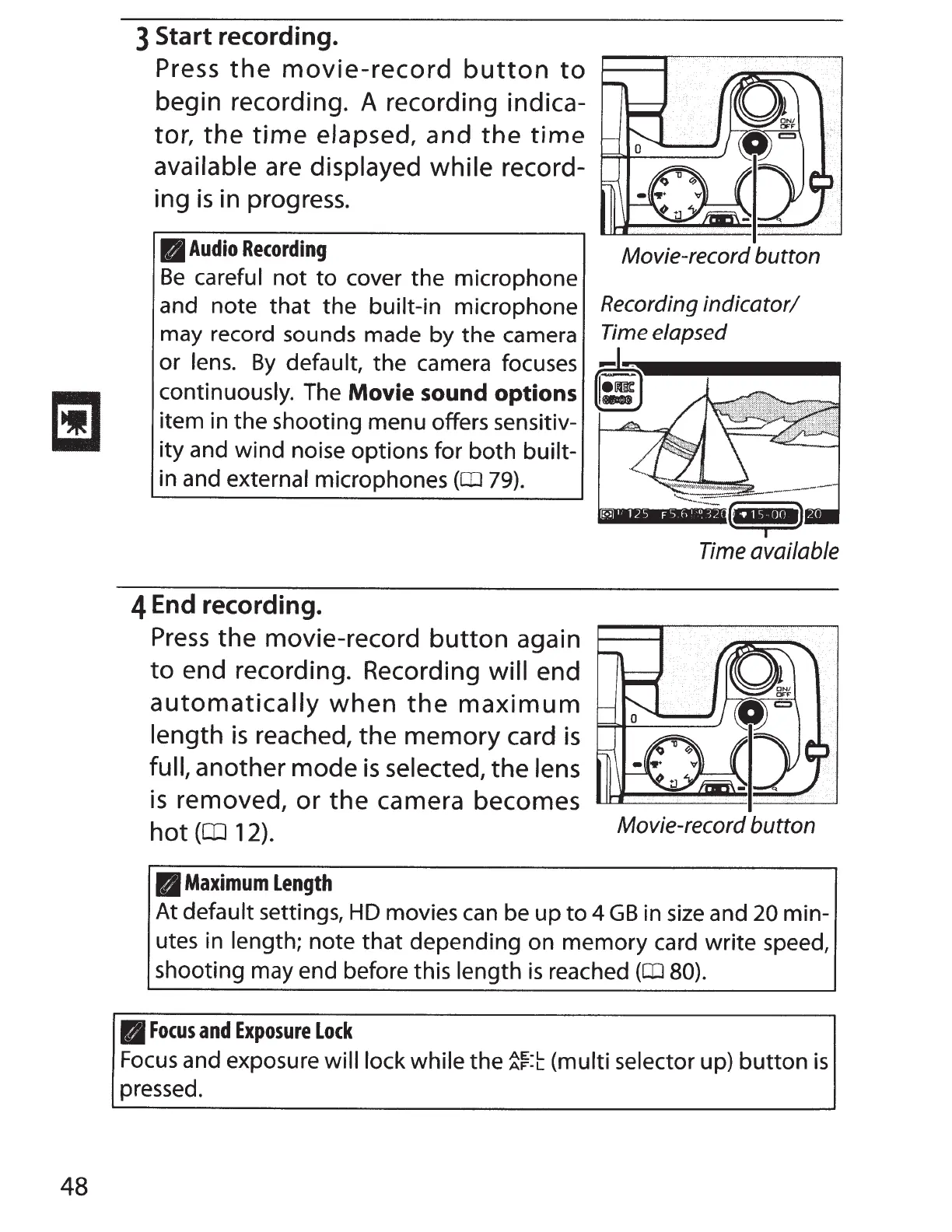
3 Start recording.
Press
the
movie-record
button
to
begin recording. A recording indica-
tor,
the
time
elapsed,
and
the
time
available
are
displayed
while
record-
ing
is
in progress.
II
Audio
Recording
Movie-record
button
Be
careful
not
to
cover the microphone
and note that the
built-in microphone
Recording
indicator/
may record sounds made by the camera
Time elapsed
or
lens.
By
default, the camera focuses
continuously. The Movie sound options
item in the shooting menu offers sensitiv-
ity and wind noise options for both
built-
in and
external
microphones
(OJ
79).
4 End recording.
Press
the
movie-record
button
again
to
end recording. Recording
will
end
automatically
when
the
maximum
length
is
reached, the
memory
card
is
full,
another mode
is
selected,
the
lens
is
removed,
or
the
camera becomes
hot
(CD
12).
II
Maximum
Length
~
Time available
Movie-record button
At
default
settings,
HD
movies
can
be up
to
4GB in
size
and
20
min-
utes in
length;
note that depending on memory card write speed,
shooting may end before this
length
is
reached
(OJ
80).
B
Focus
and
Exposure
Lock
Focus
and exposure will lock while
the
~f:t
(multi selector
up)
button
is
pressed.



 To Next Page