EasyManua.ls Logo

Nikon 1 v2 - Page 64

Nikon 1 v2
349 pages
Print Icon
To Next Page IconTo Next Page
To Previous Page IconTo Previous Page
Loading...
62
Self-Timer
and
Remote
Control
Modes
The
self-timer
and optional
ML-L3
remote control
(aJ
79)
can
be
used
to
reduce camera shake or for self-portraits.
II
Before
Using
the
ML-L3
Remote
Control
Before using
the
remote control
for
the
first time, remove
the
clear plas-
tic battery-insulator sheet.
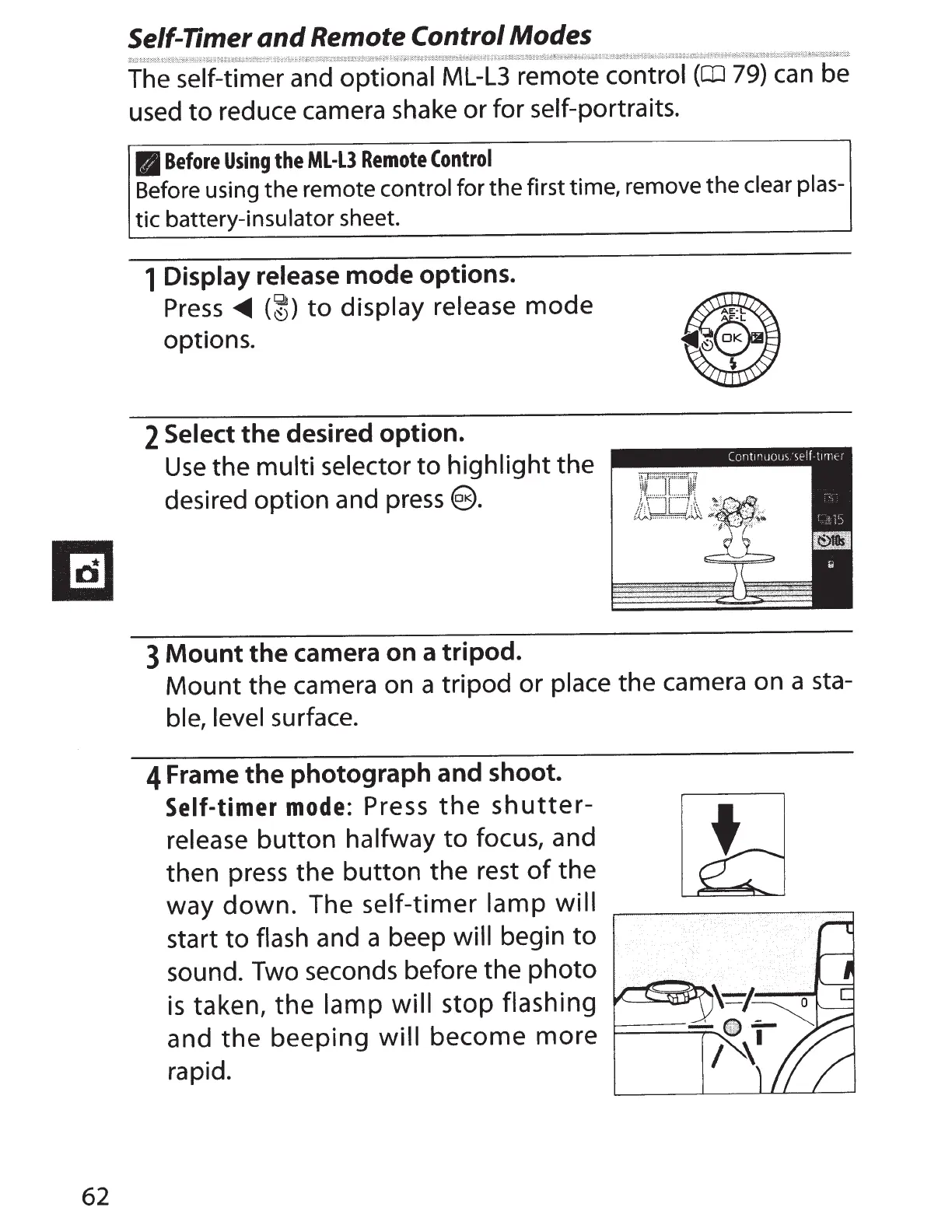
1
Display release
mode
options.
Press
.,...
(~)
to
display release
mode
options.
2
Select
the
desired
option.
Use
the
multi selector
to
highlight
the
desired option and
press@).
3
Mount
the
camera
on
a
tripod.
Mount the camera on a tripod or place
the camera on a sta-
ble, level surface.
4
Frame
the
photograph
and
shoot.
Self-timer mode:
Press
the
shutter-
release
button
halfway
to
focus, and
then
press
the
button
the rest
of
the
way
down.
The
self-timer lamp
will
start
to
flash and a beep will
begin
to
sound. Two seconds before the photo
is
taken, the lamp will
stop flashing
and
the
beeping
will
become more
rapid.

Table of Contents