Transferring Pictures
1 Choose
how
pictures
will
be copied
to
the
computer.
Choose one
of
the
following methods:
•
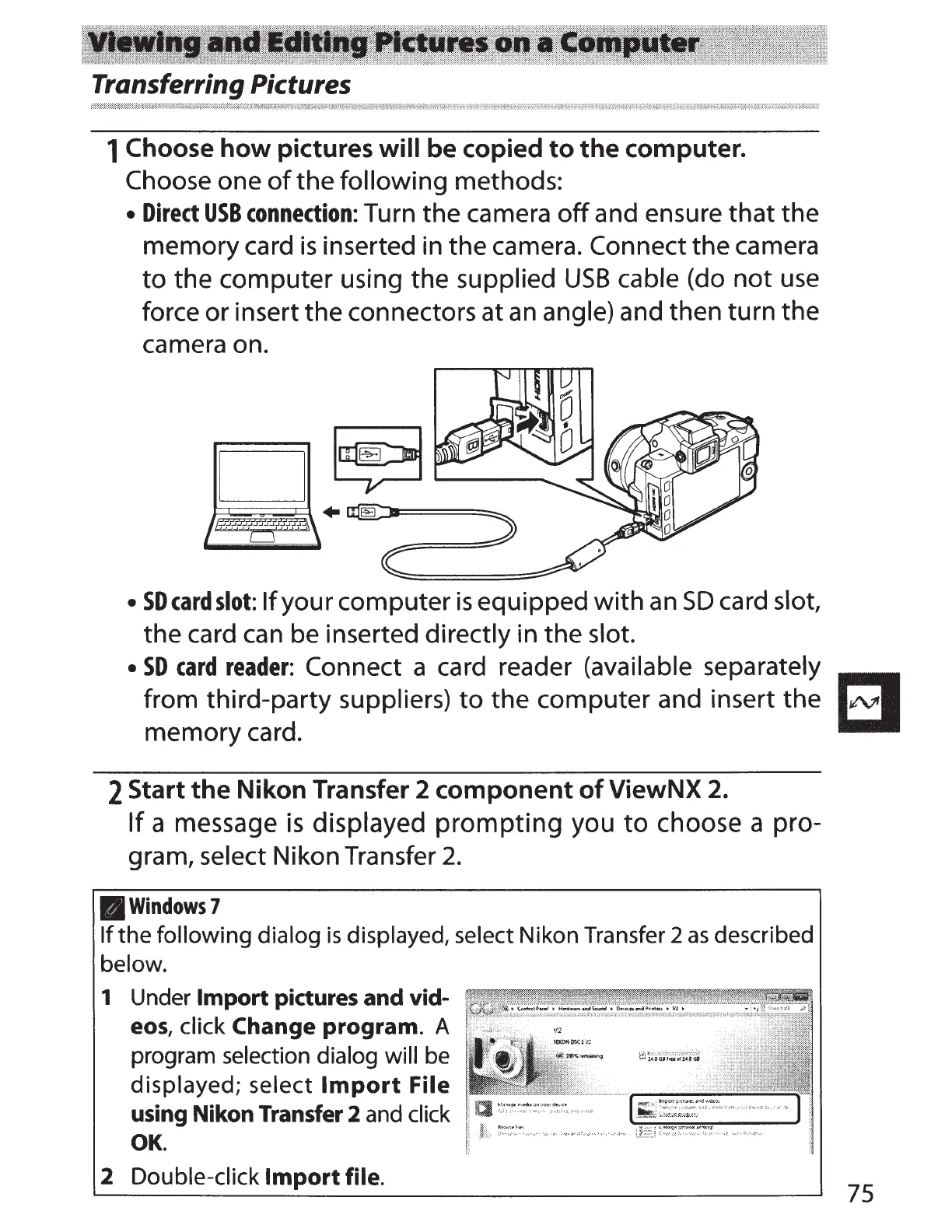
Direct
USB
connection:
Turn
the
camera
off
and ensure
that
the
memory card
is
inserted in
the
camera. Connect the camera
to
the computer using the supplied
USB
cable (do
not
use
force or insert the connectors at
an
angle) and then turn the
camera on.
•
SDcardslot:
If
your computer
is
equipped
with
an
SD
card slot,
the card
can
be inserted directly in the slot.
•
SD
card
reader:
Connect a card reader (available separately
~
from third-party suppliers)
to
the computer and insert the
~
memory card.
2 Start
the
Nikon
Transfer 2
component
of
ViewNX
2.
If
a message
is
displayed
prompting
you
to
choose a pro-
gram, select Nikon Transfer
2.
11Windows7
If
the
following
dialog
is
displayed, select
Nikon
Transfer 2
as
described
below.
1 Under
Import
pictures and vid-
eos,
click Change
program.
A
program selection dialog will be
displayed;
select
Import
File
using Nikon Transfer
2 and click
OK.
2
Double-click
Import
file.
75



 To Next Page