46
One-Touch Portrait Mode
The One-Touch Portrait Menu
The one-touch portrait menu contains the image mode option, and the por-
trait option that allows you to apply tone effect to images.
Applying Portrait Effect
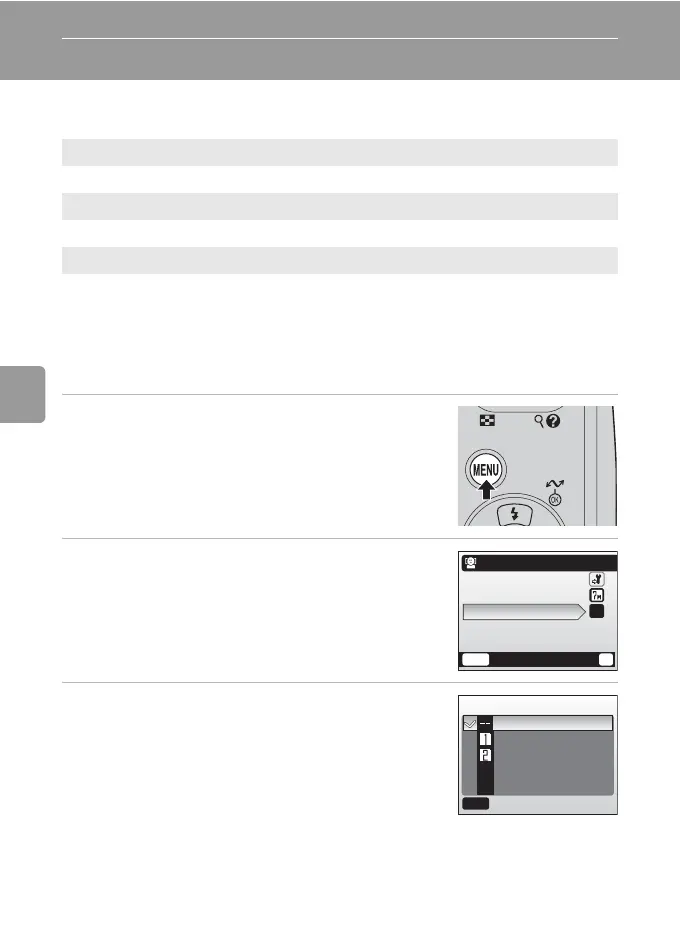
1 Press m in the one-touch portrait
mode.
• The one-touch portrait menu is displayed.
2 Press the multi selector G or H to
choose [Portrait effect] and press d.
• The options available for [Portrait effect] are dis-
played.
• For information on using the multi selector, see
“Multi Selector” (c 8).
3 Press G or H to choose the option and
press d.
• The setting is applied and the one-touch portrait
menu is displayed.
• Press m to return the one-touch portrait menu
without applying the setting.
Z
Set up
Display the setup menu (c 88).
Z
Image mode
Choose an image mode (c 73).
B
Portrait effect
Choose from [Normal], [Brighter] (brightens skin tones), and [Softer] (softens
the overall image).
MENU
Exit
?
One-touch portrait
Set up
Image mode
Portrait effect
--
Portrait effect
Normal
Brighter
Softer
MENU
Exit
B



 To Next Page
 Loading...











