34
More on Photography
b Scene Mode
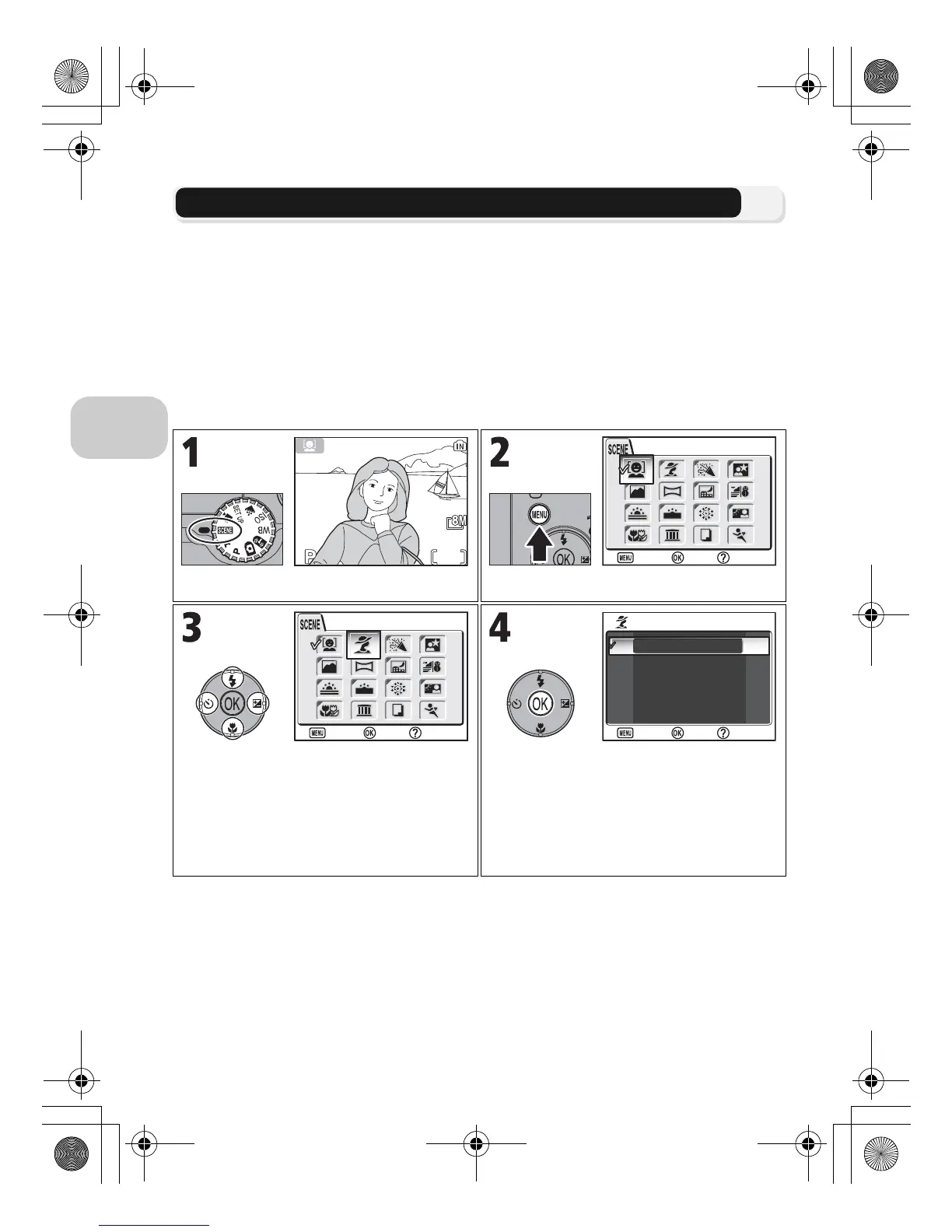
Scene mode offers a menu of 16 “scenes”, each corresponding to a common sit-
uation, such as a backlit subject, sunset, or interior shot. Camera settings are au-
tomatically adjusted to suit the selected scene, sparing the user the necessity of
adjusting each setting separately.
With Advanced option, 3 effects, including NORMAL, can be selected for 11 of
the 16 scenes. For example, you can adjust an image in Portrait mode so that skin
tones appear brighter.
To choose a scene:
Select Scene mode (default is A). Display Scene menu.
Highlight scene.
• To exit without changing current selec-
tion, press m.
Display Advanced options menu.
• If there are no options, selected scene
mode is set and screen returns to
Shooting mode. Selected scene shown
by icon in top left corner of the moni-
tor.



 To Next Page
 Loading...









