117
Basic Camera Setup: The Setup Menu
Shooting, Playback and Setup Menus
Others
• Choosing [Reset all] also clears the current file number (A 120) from the memory. Numbering will
continue from the lowest number available.
• To reset file numbering to “0001”, delete all pictures (A 101) before selecting [Reset all].
• The following settings in the menus will remain unaffected even if [Reset all] is performed.
Shooting menu: preset white balance value measured using [Preset manual] (A 87)
Setup menu: [Date] (A 106), [Date counter] (A 110), [Language] (A 114), and [Video mode]
(A 114), [Battery Type]
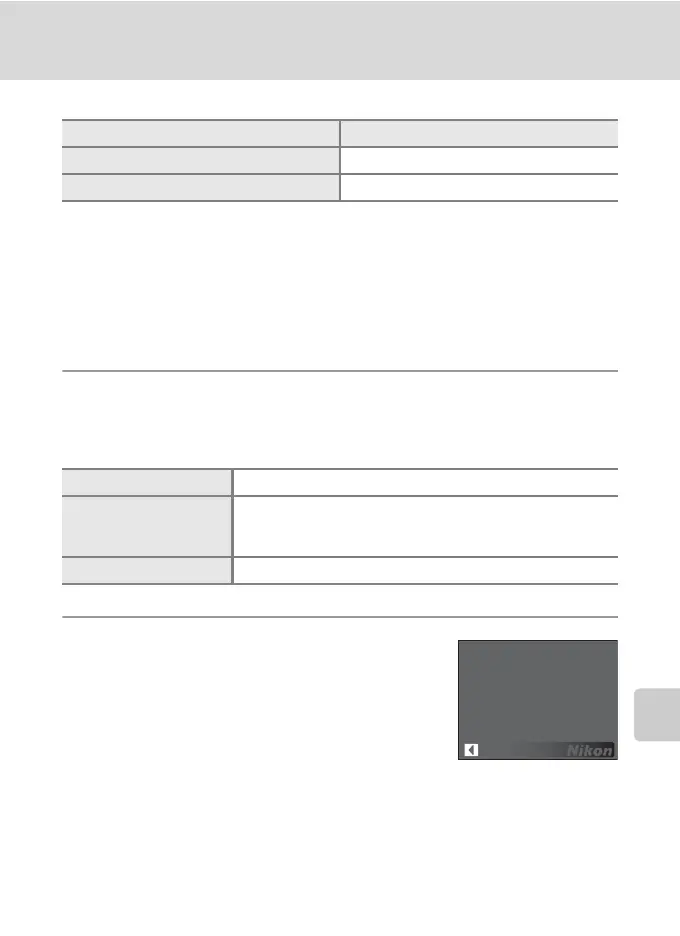
s Battery Type
To ensure that the camera shows the correct battery level (A 18), choose the type
that matches the batteries currently in use.
r Firmware Version
View the current camera firmware version.
Option Default value
Paper size (A 73, 74) Default
Slide show (A 100) 3s
Alkaline (default setting) LR6 alkaline (AA-size) batteries
COOLPIX(NiMH)
Two EN-MH1 Rechargeable Ni-MH Batteries (available
separately from Nikon)
ZR6 oxyride (AA-size) batteries
Lithium FR6 lithium (AA-size) batteries
Back
COOLPIX P50 Ver.X.X












 To Next Page