41
P and M Modes
P and M Modes
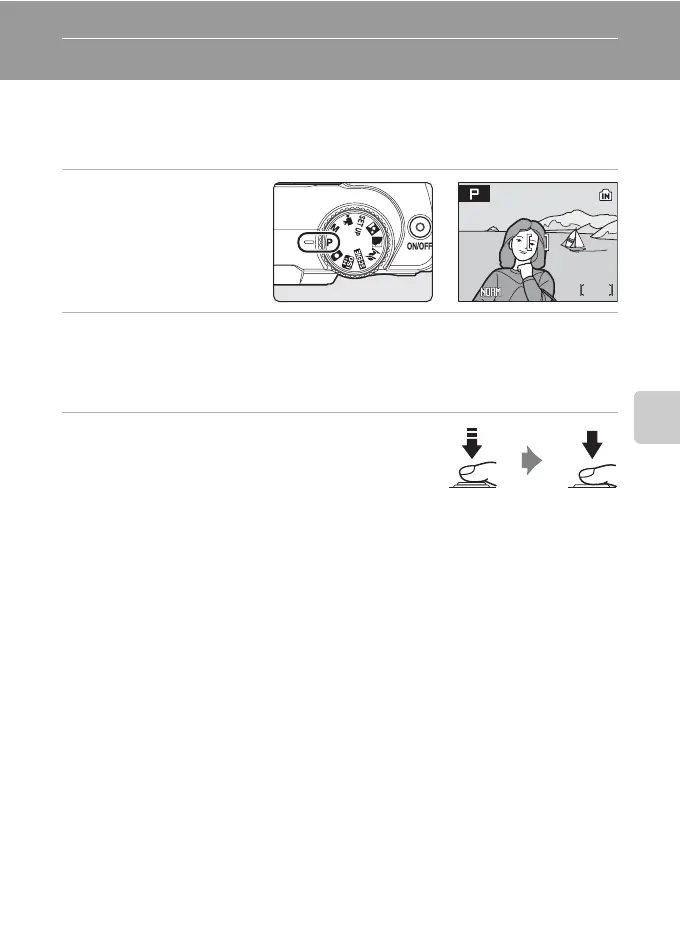
P (Programmed Auto) Mode
The camera automatically sets shutter speed and aperture.
Adjust shooting menu settings such as white balance and ISO sensitivity, as well as
the continuous shooting mode.
1 Rotate the mode dial
to P.
2 Adjust settings to suit the subject or your creative intent.
Press d and adjust shooting menu settings (A 80).
Adjust the flash mode (A 26), self-timer (A 28), focus mode (A 29), and exposure
compensation (A 30) settings.
3 Frame the subject, focus, and shoot.
At default setting, the camera automatically focuses on
the subject in the center focus area (A 93).
B Note on Shutter Speed
When [Continuous], [BSS], or [Multi-shot 16] is selected for [Continuous] (A 90), the slowest shutter
speed available is down to 1/2 sec.
26
26
E
1/125
F2.8
1/125 F2.8












 To Next Page