79
Connecting to Televisions, Computers and Printers
Connecting to a ImageLink-compatible Printer
See documentation provided with your printer for information on operating the
printer.
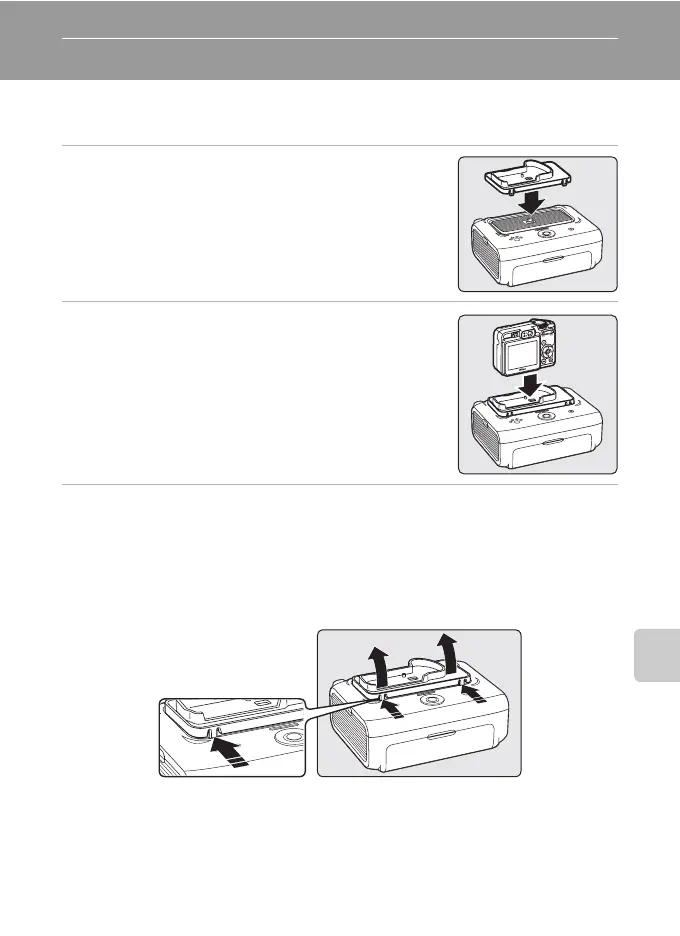
1 Attach the Dock Insert PV-16 (supplied) to the
printer.
2 Turn the camera off and attach it to the dock
insert.
3 Print pictures.
Follow the procedures described in the printer manual.
Removing the Dock Insert
Place your thumbs where indicated, press, and lift.
B Note on Connecting to an ImageLink-compatible Printer
The monitor will dim automatically if no operations are performed for about one minute while the
camera is connected to an ImageLink printer. The camera will turn off if no operations are performed
for about another seven minutes.












 To Next Page