63
Making Voice Recordings
Voice Recordings
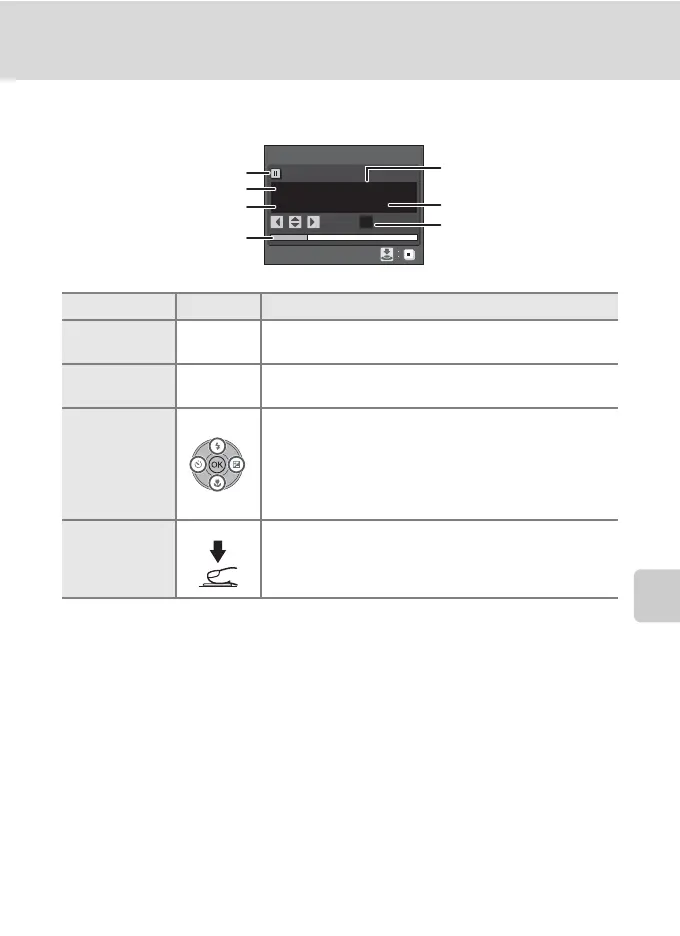
Operations During Recording
* The copied files can be played back using QuickTime or any other WAV-compatible audio
player. Note that index points created with the camera cannot be used when voice
recordings are played back on computers.
To Press Description
Reactivate the
monitor
c
If the monitor has turned off, press c to reactivate.
Pause/resume
recording
k
Press once to pause recording; AF lamp will blink.
Create index*
During recording, press the multi selector H, I, J, or K
to create index. Indexes make it easy to locate desired
portions of a recording. Start of recording is index number
01; other numbers that follow are assigned in ascending
order each time the multi selector is pressed, up to index
number 98.
End recording
Press the shutter-release button all the way down a
second time to end recording.
Pause indicator
Progress indicator
Index number
Time remaining
Date and time of recording
Length of recording
File number
01
Voice recording
00
:
01
:
00/00
:
46:47
001 17
:
3015/11/2007
Index :
E












 To Next Page