52
More on Playback
Printing Via Direct USB Connection
When the camera is placed in the MV-11 COOL-STATION and connected to a
PictBridge-compatible printer via the UC-E10 USB cable, selected pictures can
be printed directly from the camera.
1
Set the USB option to PTP
Set the USB option in the setup menu to PTP before connecting the
printer ( 47; the default option is Mass storage).
2
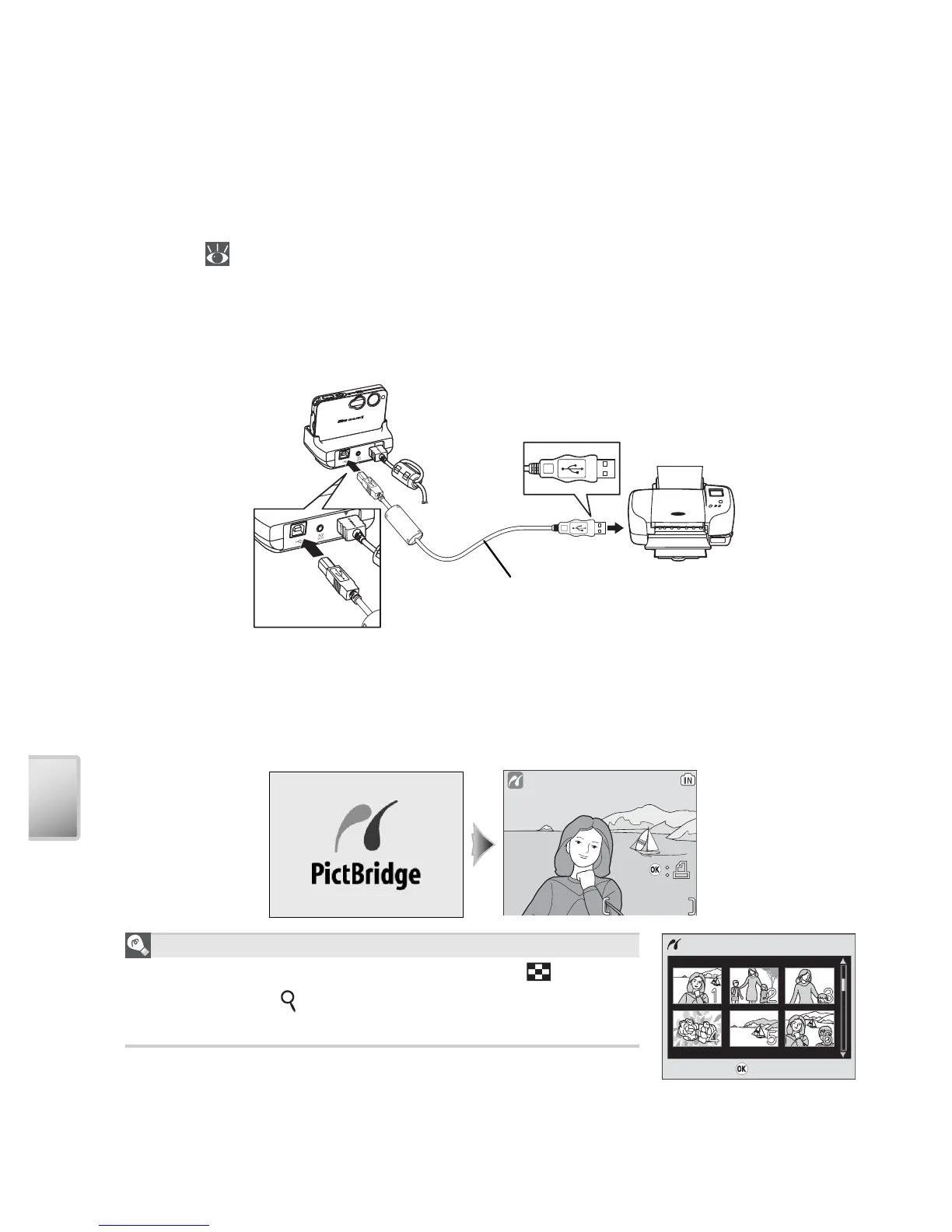
Connect the USB cable
After confi rming that the camera is off, place it in the COOL-STATION and
connect the UC-E10 USB cable as shown below.
3
Turn the camera on
Turn the camera and printer on. A PictBridge start-up screen will be dis-
played. The camera will then enter full-frame playback with the PictBridge
logo displayed in the monitor.
1/
11/ 1
The Thumbnail Display
To view six pictures at a time, press the
(W) but-
ton. Press the
(T) button to return to full-frame
playback.
Start print



 To Next Page
 Loading...










