97
Playback Option: Playback Menu
More on Playback
b Slide Show
Play back pictures stored in the internal memory or on a memory card one by one
in an automated “slide show.”
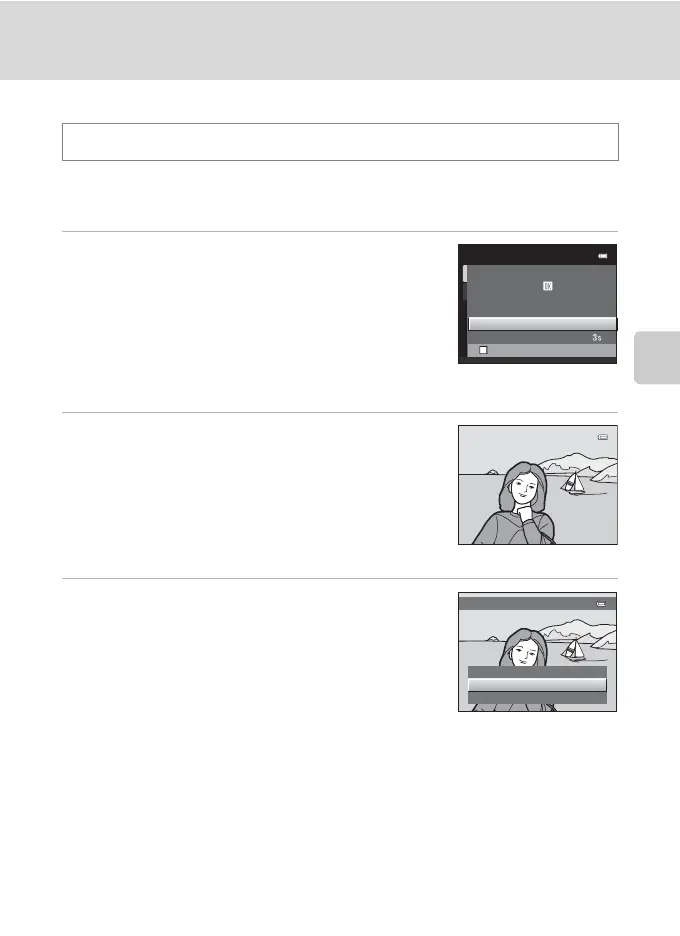
1 Use the multi selector to choose Start and
press the k button.
To change the interval between pictures, choose Frame
intvl, select the desired interval time, and press the k
button before choosing Start.
To repeat the slide show automatically, choose Loop and
press the k button before choosing Start. The check
mark (w) will be added to the loop option when enabled.
2 The slide show begins.
While the slide show is in progress, the following
operations are available:
Press the multi selector K to display the subsequent
picture or J to display the previous picture. Hold down
either button to fast forward or rewind.
To end or pause slide show, press the k button.
3 End the slide show or restart it.
The screen shown on the right is displayed when the
slide show has ended or is paused. Choose End and press
the k button to return to the playback menu, or choose
Restart to play the slide show again.
B Notes on Slide Show
• Only the first frame of movies (A 120) included in a slide show is displayed.
• The maximum playback time is up to 30 minutes even if Loop is enabled (A 147).
c button (Playback mode) M d (Playback menu) M b Slide show
Slide show
Frame intvl
Start
Loop
Pause
Restart
End
Frame intvl
Pause



 To Next Page
 Loading...










